

Create Object
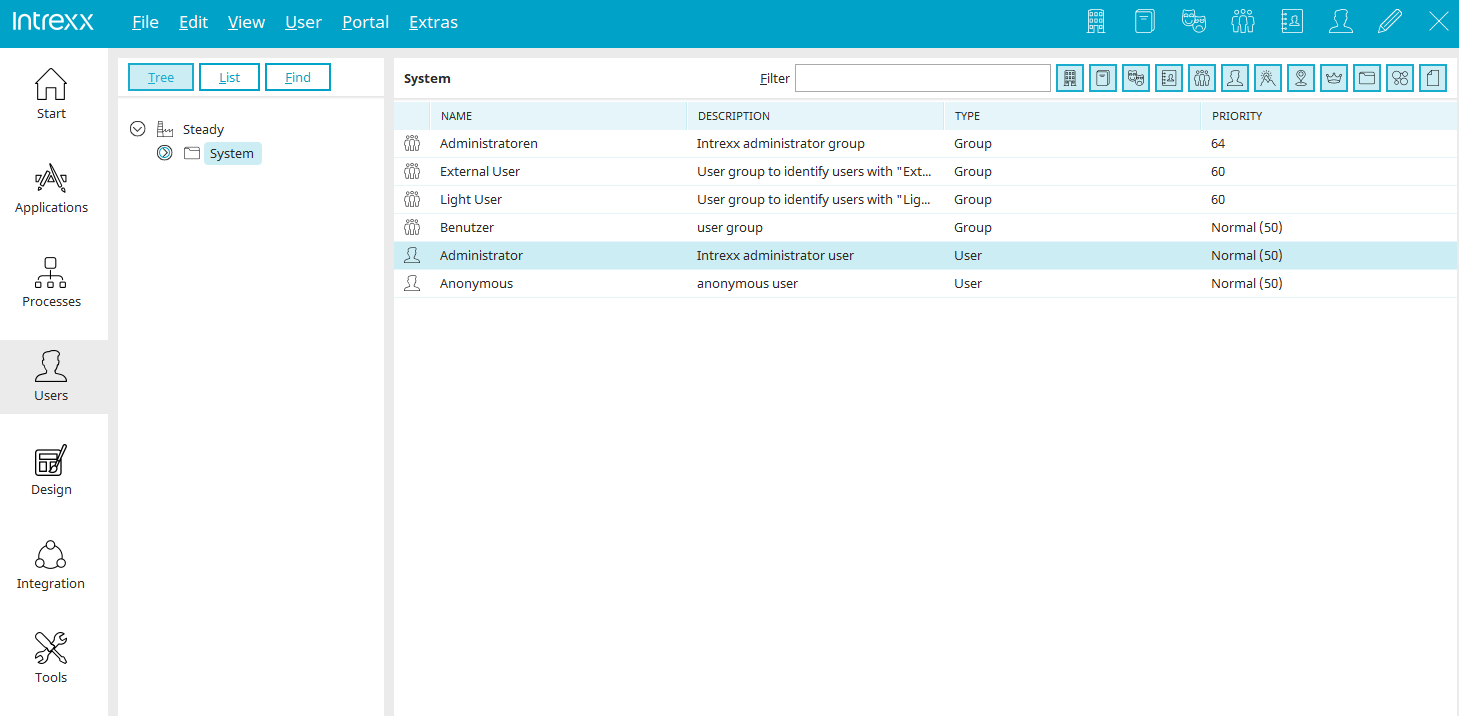
In the left pane, you'll see a tree-view representation of the structure. In a newly created portal, you will find only the "  " portal node and the subfolder "
  " under "System."
If the portal node is selected, all child objects are listed in the right-hand pane of the user management section.
You will be provided with the object's name, description, type, and priority. In the "Type" column, you'll find the object class to which the object belongs. For most objects, the priority can be set in the Properties dialog box; it determines the order in which they are displayed in lists in the User module.
The "System" folder in the " " folder is a container object. If you select this folder, all of the objects it contains will be listed in the right-hand pane. You can create a new object by selecting "Edit / New" from the main menu while in the tree view.
More Information
Objects, Classes, and Attributes
The sections of the "Users" module
Replication - User and Group Import
Active Directory Integration and Replication Configuration