

Exchange File Selection for Attachments
This control allows file attachments to be stored in Exchange applications. The check can only be performed in the external data groups
-
Exchange - Appointments
-
Exchange - News
-
Exchange - Contacts
-
Exchange - Tasks
-
Exchange - Resources - Appointments
be used with an Exchange connection. This element is available as an input element (Exchange file selection for attachments) and as a view element (Exchange file selection for attachments view).

You can find both elements in the "Applications" module under "Elements. " You can create a new file selection by dragging and dropping the element from here onto the workspace.
For more information on creating elements, click here.
Exchange File Selection for Attachments
You can also find this input field in the "Exchange Email" app on the "Add Attachment" page. You can open the Properties dialog by clicking on the element.
General Characteristics
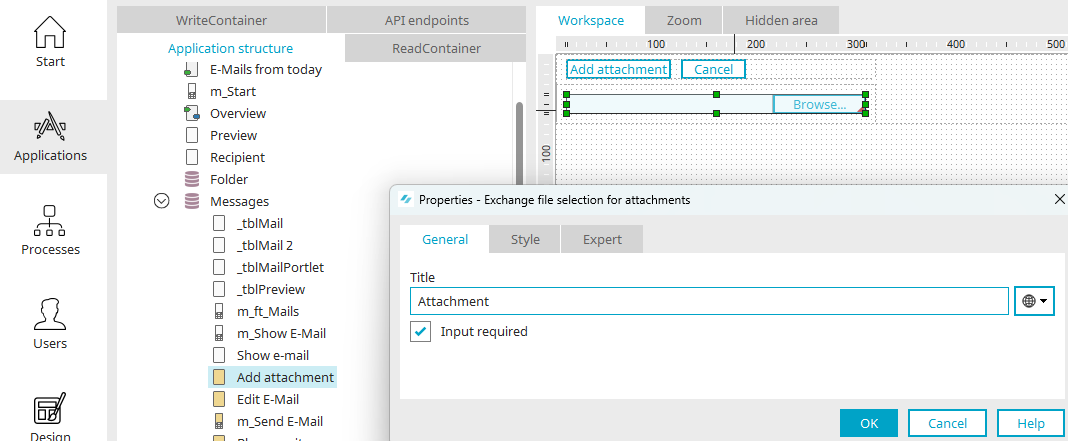
You can set the title here on the "General" tab. You can find information about multilingual titles here.
When the "Input Required" setting is selected, the file selection becomes a required field.
Final Settings
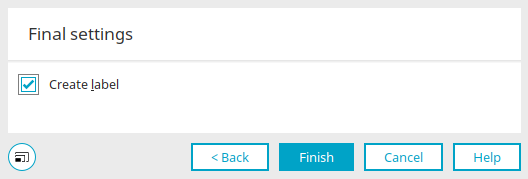
When you create a new Exchange file selection, you'll eventually reach the final settings. When you select the "Generate Field Title" setting, a "Static Text" element is created along with the new element, and it automatically adopts the title of the new element as its label.
Requirements
The page containing the "Exchange File Selection for Attachments" element must be located on a page below the Exchange data group.
If the requirements are not met, this dialog box will inform you which elements and structure are required to use the Exchange control.

The Exchange object—for example, an email—for which a file is to be uploaded must exist. This is the case when, in an Intrexx Exchange application, the input page—where, for example, email content is entered—is saved.
The "Exchange File Selection for Attachments" element must therefore be placed on a separate page, which is loaded—for example—from the input page via a button with the "Save" action. The input page containing the "Exchange File Selection for Attachments" must be loaded in the main window or tooltip.
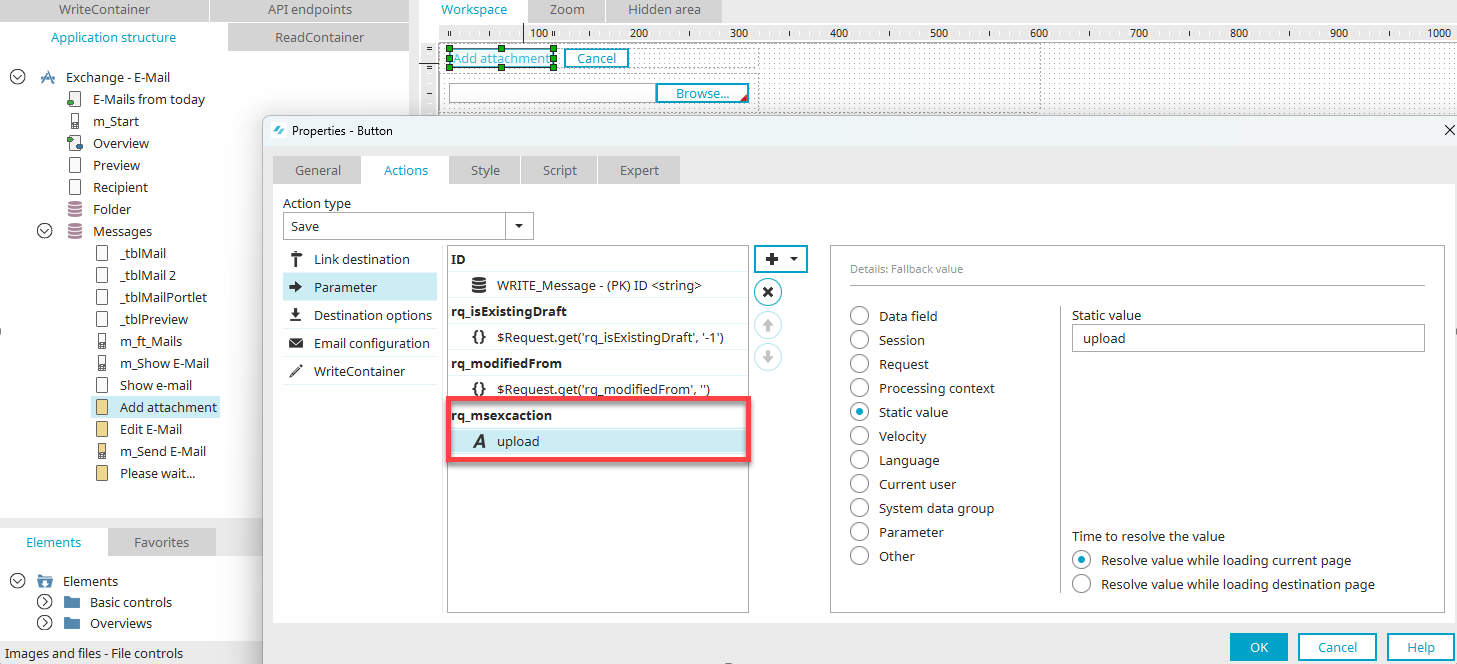
The button that loads the page containing the element must be configured with the "Jump to existing record" option. The button that saves the page with the "Exchange File Selection for Attachments" must also be set to the "Jump to existing record" option. The calling page—for example, the input page where the email content was entered—must be set as the destination.
The button that saves the page with the "Exchange File Selection for Attachments" requires the "rq_msexcaction" request parameter with the value "upload."
Exchange File Selection for Attachments View
This setting allows file attachments in an Exchange data group to be displayed as a list of download links. You can also find this element in the "Exchange Email" app on the "Edit Email" page. You can open the Properties dialog by clicking on the element.
General Characteristics

You can set the title here on the "General" tab. You can find information about multilingual titles here.
Options

Delimiter
Enter the desired separator for each file attachment here.
Show Delete Icon
Displays a button in the browser that allows you to remove individual attachments.