

Search

Starting with Intrexx version 12.0.1
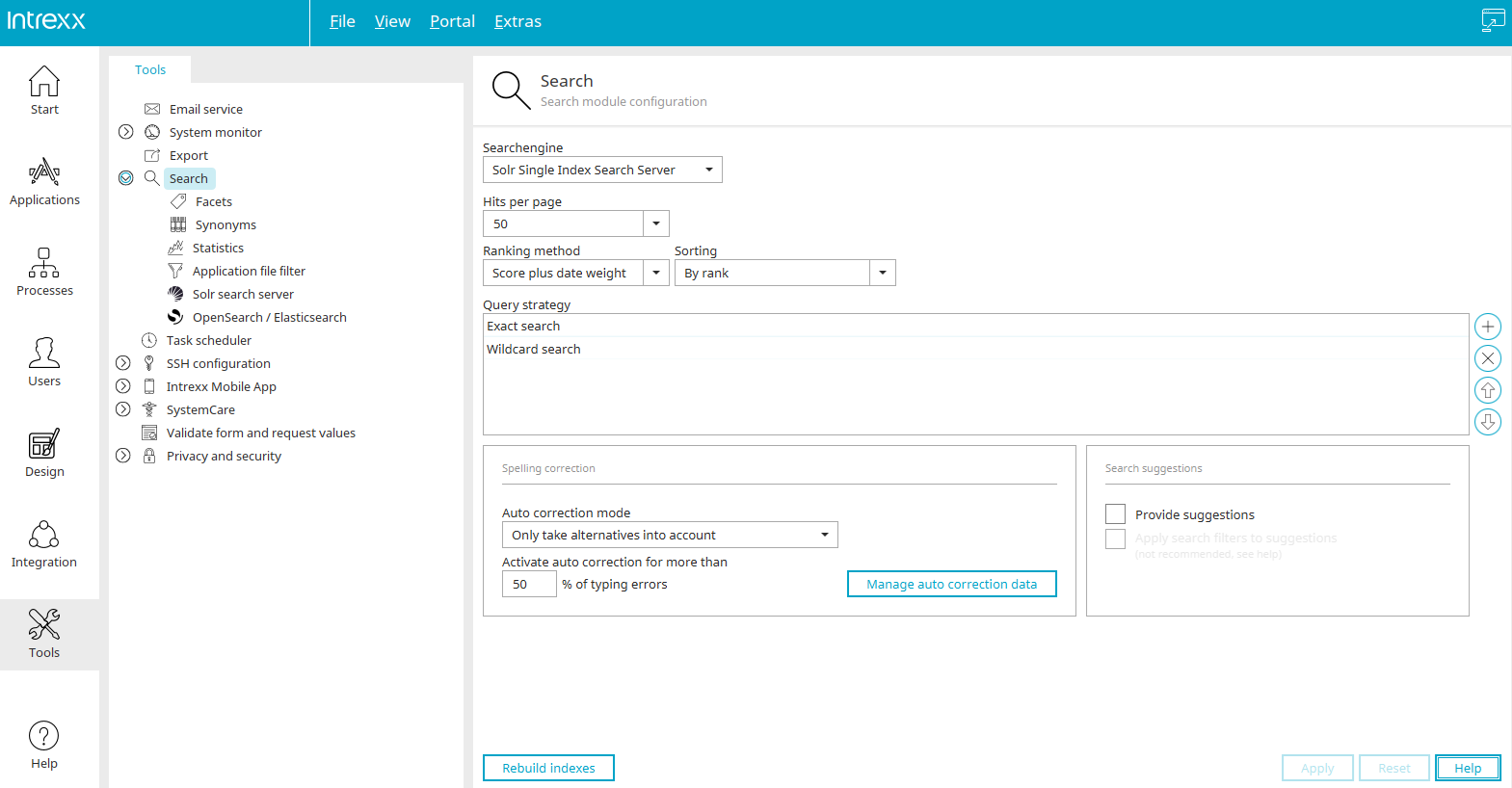
Modular Design
The Intrexx search system is a multi-level, modular system designed to ensure maximum flexibility.
Search Terms
You can search database content and associated files together. Static text is not searched.
Search Plugins
Search plugins are used to search the various types of entities used in the portal, such as application data or files. It is possible to add plugins tailored to individual needs. A set of five standard plugins is available that already covers the most common use cases. These are plugins for
-
Application data, including related files
-
Files from Filewalker connections
-
Menu Structure
-
Intrexx Share
Search Modules for Connectors
Searching application data is done using the application data search plugin. This is usually sufficient even for systems connected via Connector, since it allows SQL-based data management systems to be indexed and searched. By default, these are
In cases where global indexing is not possible or desired (e.g., because a login with all necessary permissions is not available), the search modules for connectors are used. These make use of the built-in search functions of the external systems. The standard version currently includes modules for the following sources:
-
dg archive
-
M-Files
-
SAP Gateway
-
Microsoft Exchange
Search Engine Adapter
Intrexx uses external search engines for indexing and searching. The Apache Solr adapter is included in the standard shipment and is installed as part of the default configuration. The Solr adapter supports the Intrexx Portal Server, external standalone instances, and SolrCloud installations.
Starting with Intrexx 12.0.1, OpenSearch / Elasticsearch can also be used for searches.
Solr Search Server
The Apache Solr server runs as a standalone process. If a single process is not sufficient, Apache Solr can be run as a cloud installation. Filewalker directories are indexed directly by the Solr server; the portal server is not involved in this process. Apache Solr can be configured in a wide variety of ways. Intrexx applies sensible default settings when setting up the server, but does not override subsequent customizations, meaning there are virtually no limits to implementing individual requirements.
Functional Features
Search Result Formatting Using View Pages
Search results can be customized as desired using view pages, in addition to the button configuration.
Ranking
The following criteria influence the ranking of search results:
-
Textual Quality of the Search Result
-
Date / Current Status
-
Search Configuration Priority (Application)
-
Data Set Priority (Priorities are determined by the contents of data fields (as determined)
-
Likes in Intrexx Share
The user can choose to apply the settings specified by the administrator or use their own.
Sorting
Regardless of the ranking, the search results can be sorted if, for example, the quality of the results is not the top priority when displaying them. The following sorting options are available:
-
Ranking (Default Setting)
-
Date
-
Application Priority + Ranking
-
Application Priority + Date
-
App Title + Ranking
-
Application Title + Date
Here, too, the user can choose to configure their own settings or accept the ones specified by the administrator.
Filtering / Faceted Search
Users can filter the search results as desired by selecting the desired applications or using facets. Facets (e.g., industry) can be defined by the administrator and assigned to individual data fields. During a search, the user is shown the facets applicable to the context and can then filter specifically using these (e.g., Industry = IT). To assist him, the available values are displayed as buttons.
Multilingualism
The search module supports multiple languages. The application developer can specify the languages in which data is indexed and can be searched. The various language indexes may contain different fields. The user selects the language in which they want to search. Depending on the selected language, different lists of results will then be displayed.
Search Suggestions
As you type search terms, relevant suggestions are displayed. With the default settings in Intrexx, these are terms from the data to be searched. Various other dictionary sources are possible, such as databases of technical terms. These can be integrated by making the appropriate changes to the Solr configuration.
Offer suggestions
With this setting, search suggestions are displayed when users enter search terms. Please note that for portal-wide searches, the "Show search suggestions" setting must also be enabled in the Search Advanced Settings in the Design module.
Spell Check
If a search term is submitted with a potentially incorrect spelling, the results page will display not only the found results but also a note pointing this out, along with the option to click on the correct term and search for it. Alternatively, the system can also use rules to select the correct term right away.
Search Term Statistics
The search module can log queries anonymously in a file. The Portal Manager includes a section with a range of reporting options, such as the most common search terms and trend analyses. The log file contains JSON data, making it easy to perform custom browser-based analyses.
Additional Features
-
You can search database content and associated files together. For example, by searching for "Edgar Allan Poe book," you can find item records of the "Book" type that have attached documents containing "Edgar Allan Poe."
-
Database content can be searched using various interconnected records (parent-child relationships or references).
-
Search configurations have their own permissions, allowing for searches tailored to different user groups.
-
Intrexx Share is also included in the global search.
-
When you click on a search result, you can now also jump to parent records.
-
The search results display supports forward paging; the list of results is not limited to a set length.
More Information
Settings in the "Tools" module
Search Configuration in Applications
Additional validation for the site-wide search in the "Design" module