

"Portal" Main Menu
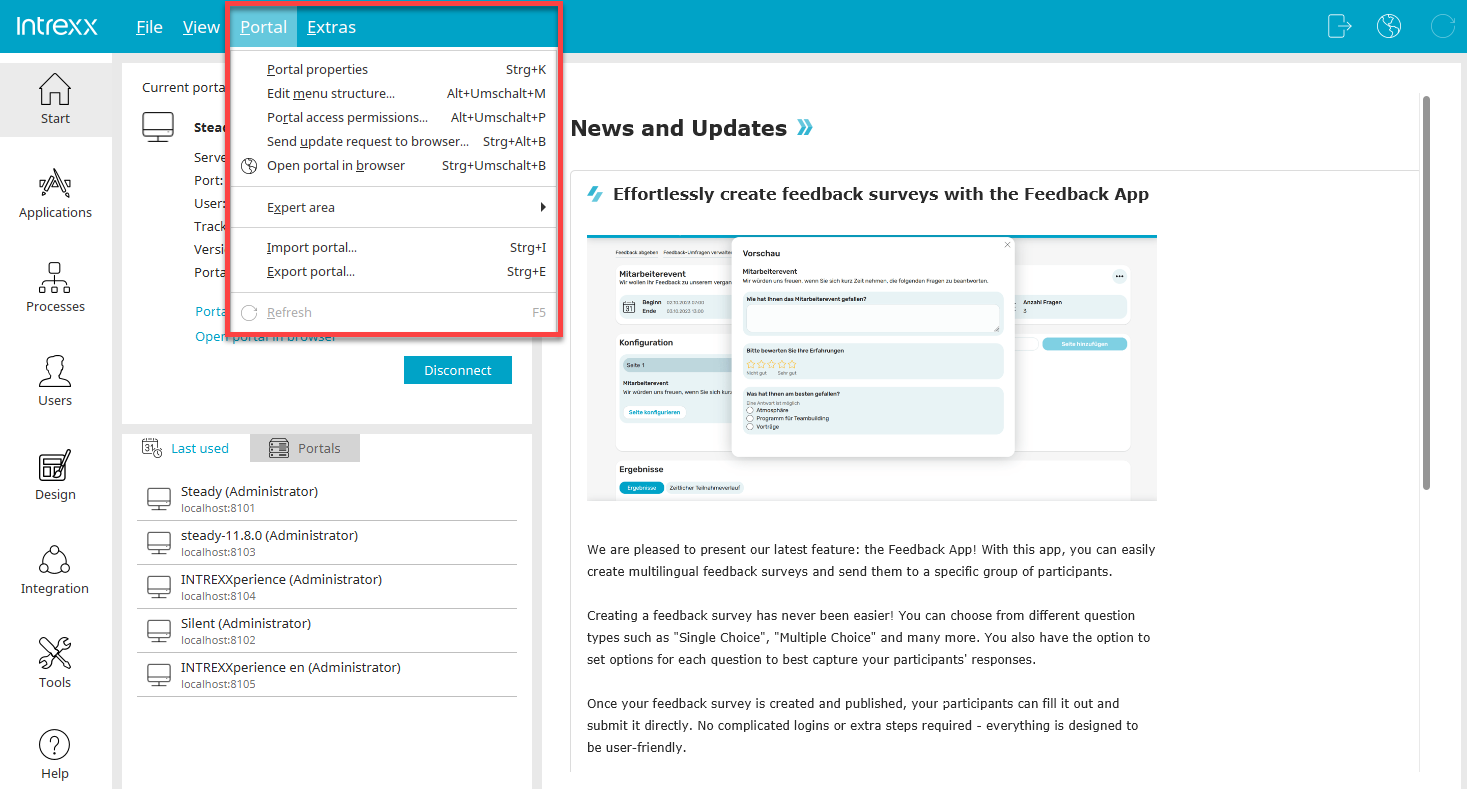
Portal Properties
Opens the Properties dialog box for the currently open portal.
Edit Menu Structure
Opens a dialog box in which users with the portal permission "Access to the Applications Module" or "Access to the Design Module" can edit the portal's menu structure. All changes to the structure take effect immediately.
Portal Rights
Opens a dialog box where portal permissions—such as access to individual modules—can be configured.
Send an update request to the browser
Opens a dialog box where you can configure the Intrexx Cache-Control settings.
Send an update request to the browser
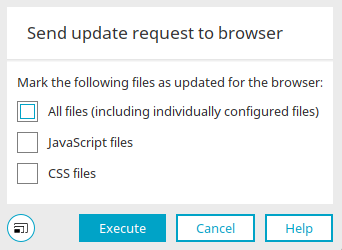
When loading pages, browsers save information such as JavaScript files, cascading style sheets, and images from the portal. Storing this information improves browsing performance and is especially helpful on mobile devices. Intrexx Cache Control manages the browsers and specifies when specific files should be reloaded. At this point, you can explicitly request that the browser reload the files. This approach is useful if, for example, you have written and modified your own JavaScript files.
Open the portal in your browser
The currently connected portal is loading in the browser.
Expert Section
This menu is only available if the expert options are enabled.
Generic Rights
Opens a dialog box where you can grant generic permissions on any objects, such as access permissions to individual files. This menu is only available if the advanced options are enabled.
Import/Export Portal
You can find all the information on this topic here.
Refresh
This menu item updates the portal list.