

Data Transfer - Data Source/Destination "OpenOffice Calc Spreadsheet"
Here you will find instructions for configuring a data transfer if, in the first step of creating the connection, you selected "OpenOffice Calc Spreadsheet" as the data source or data destination type.
Source / Destination - OpenOffice Spreadsheet File
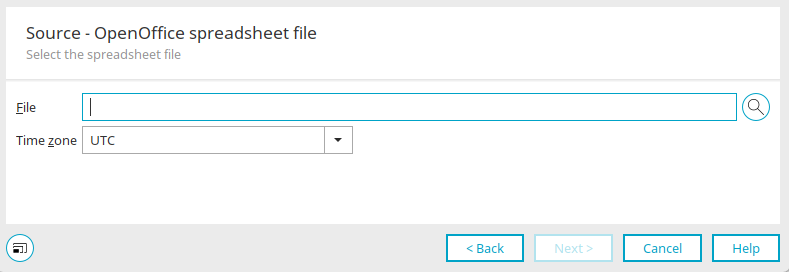
Select the file and time zone here. The file must be located in a directory that is shared with the server.
Click "Next."
OpenOffice Spreadsheet Settings
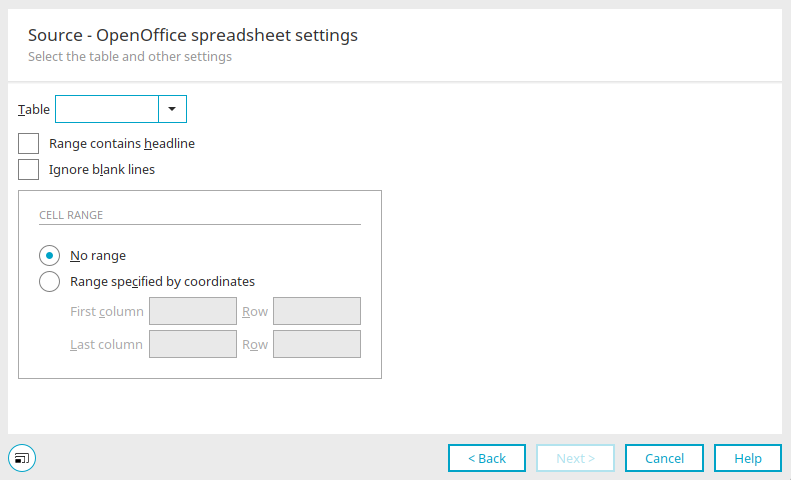
Select the table here.
Section contains a header
With this setting, the first row is not imported but is used as a column header during field mapping.
Ignore blank lines
Suppresses the import of empty lines.
Cell area
Do not restrict the range
Uses the entire table.
Specify a cell range using coordinates
Enter the numbers of the first and last columns or rows here.