OData Connector - Publishing Data - Features
The OData specification defines what are known as function imports, which allow functions or methods to be executed via an OData service. With the Intrexx OData Provider, Groovy scripts can be executed on the server side via function imports; these scripts are invoked via an OData request and can receive input parameters and return values to the caller.
Here you'll learn how to define functions and write the corresponding Groovy script.
To understand the content, a service must be created and enabled. Find out how to create your own service here. The following description refers to the example used there. In principle, functions can, of course, be defined as desired, thereby extending the standard capabilities of an OData service offering accordingly.
General Characteristics
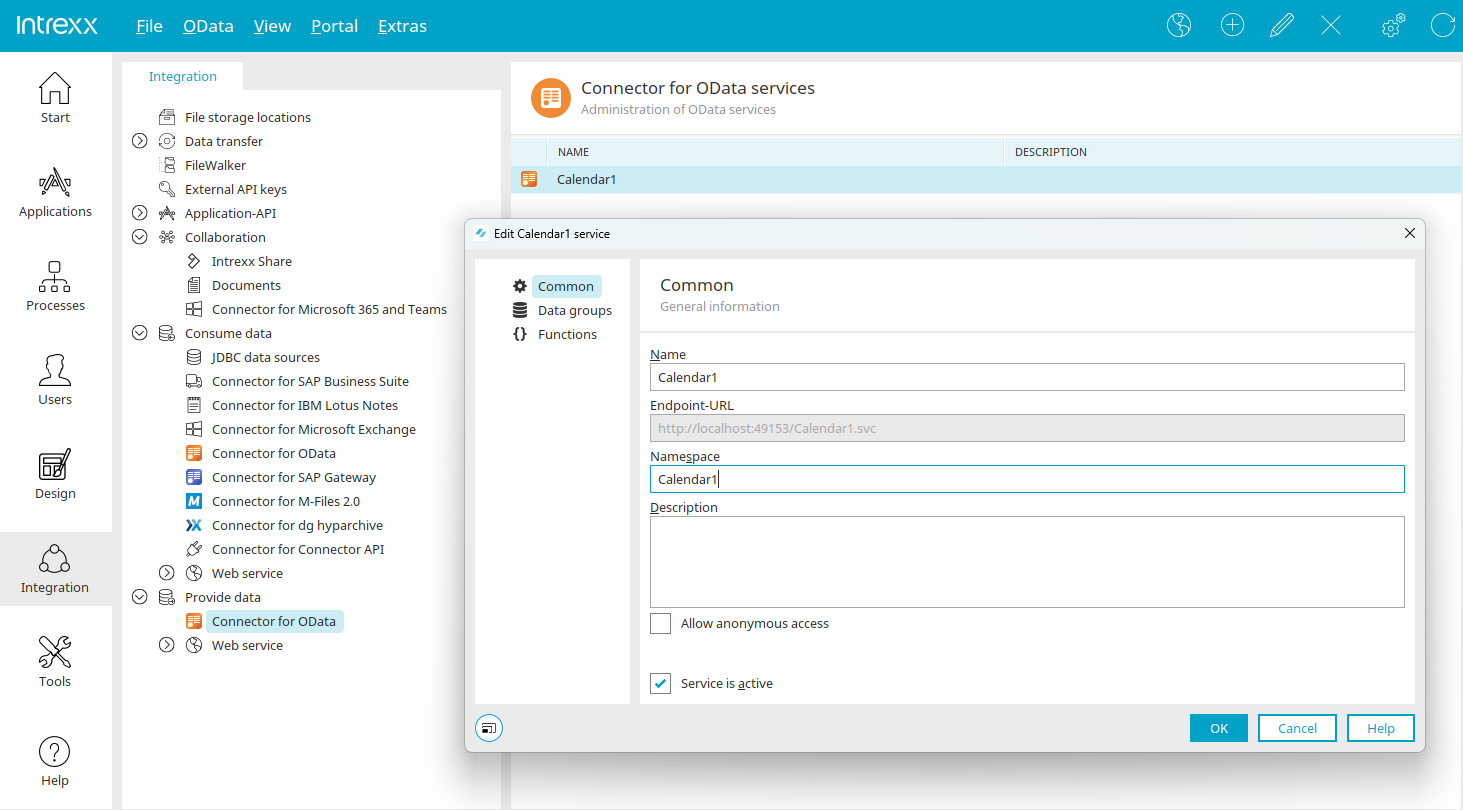
You can open the "Functions" dialog by double-clicking the active OData service—in our example, the one named "Calendar1." This opens the service properties. The "Service is active" setting should be selected here.
Data Groups
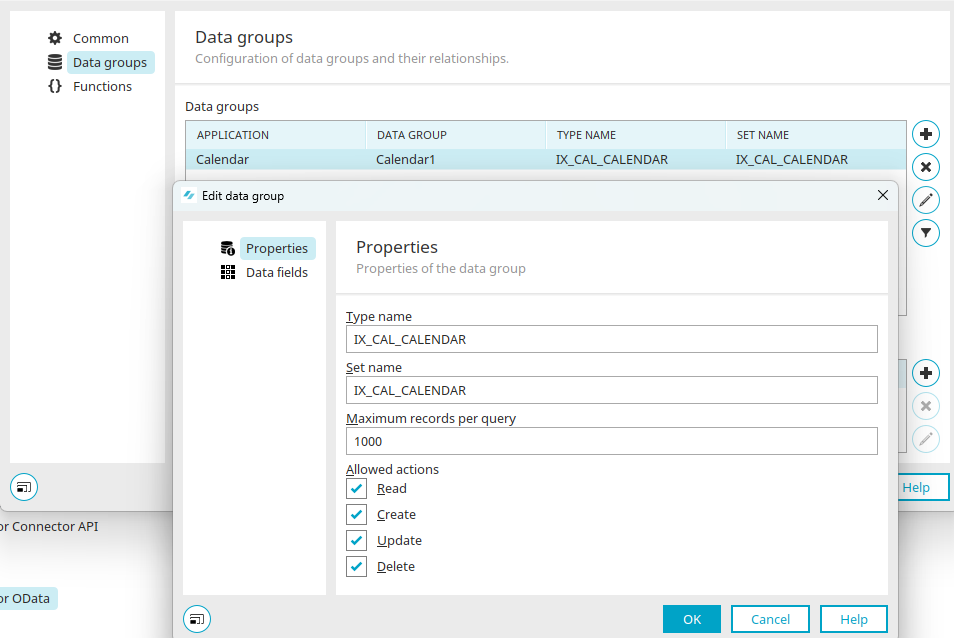
Under "Data Groups," the example includes the "Calendar1" application and the data group it contains. By clicking "Edit Data Group" at  , you can identify and copy the set name ("IX_CAL_CALENDAR"), as it will be used later in our example function. Close the dialog box by clicking "Cancel."
Then select "Functions" from the left-hand pane.
Features
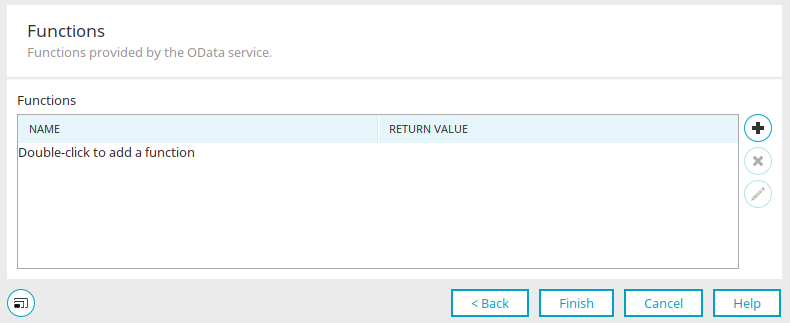
You can create a new function by clicking "Add Function" at  .
.
Properties of a Function
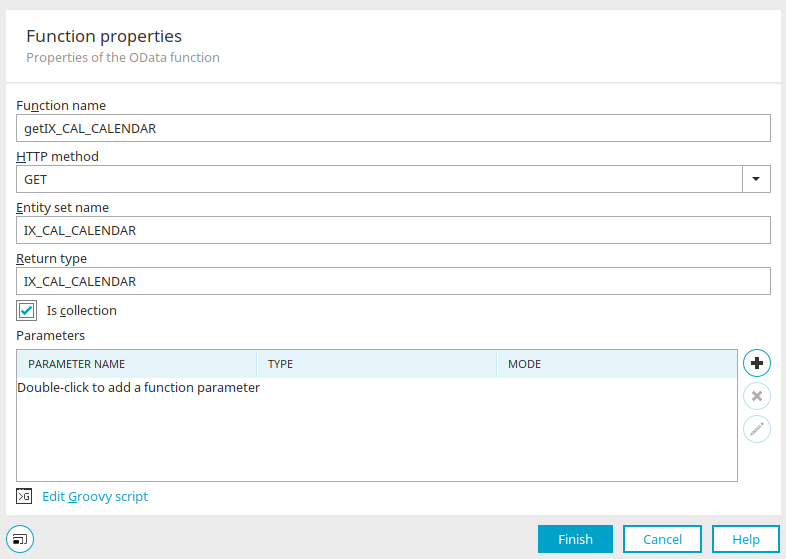
Name
Enter a unique function name here that must not contain any spaces or special characters. For our example, we'll use the name "getIX_CAL_CALENDAR" here.
HTTP Method
Then select the HTTP method that can be used to call the function. For our example, we'll use the "GET" method here.
Entity Set Name (optional)
Specifies the entity set on which the function operates. Enter the set name here, which was previously determined in the data group properties.
Return Type
Defines the return type of the function. This can be either an OData data type (e.g., Edm.String, Edm.Int32, Edm.Double, ...) or an entity type. You can find information on the topic "Entity Type as a Return Type" here.
In this example, the set name "IX_CAL_CALENDAR" is also used.
Ist Collection
Specifies whether the return value consists of one or more records or values.
Parameters
List of a function's input parameters. You can add a new parameter by clicking "Add Parameter" at , and you can edit an existing, selected parameter by clicking "Edit Parameter" at .
Edit Parameters
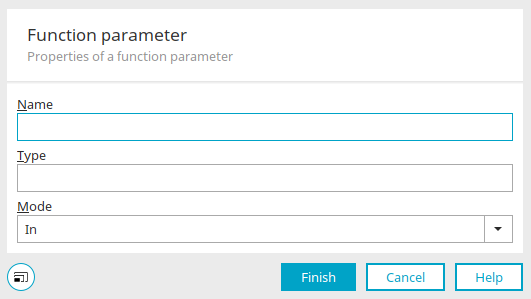
For each parameter, a unique name and a data type must be defined. The name must not contain spaces or special characters.
The type defines the parameter's data type—either an OData data type (e.g., Edm.String, Edm.Int32, Edm.Double...) or an entity type.
This mode is for informational purposes only and indicates whether the parameter is used for input, output, or both.
Click "Finish."
Groovy script
The actual functional logic is implemented using Groovy scripts. To do this, you can open the Groovy Editor by clicking the "Edit Groovy Script" link at the bottom of the dialog. All standard Intrexx context objects and classes are available in Groovy. In addition, additional OData-specific context objects are provided:
-
g_guidODataService (Type: String)
Contains the GUID of the OData service.
-
g_oFunctionParameters (Map type)
Contains the function parameters and their values.
-
g_oProducerContext (Type IProducerCommandContext)
Context object of the OData producer. Provides access to the OData service configuration and the processing context.
-
g_oFunctionContext (type CallFunctionCommandContext)
Context object of the OData function. Provides access to the function's properties, input parameters and values, and optional OData query string variables.
Accessing Function Parameters in Groovy
In Groovy, you can access a function's input parameters as follows:
def l_param = g_oFunctionParameters['BusinessPartnerName']
Defining a Function's Return Values
A function's Groovy return value must match the data type defined in the function properties.
Example 1: Simple return value of type Edm.String
The following Groovy script simply returns the input value of type Edm.String as the result:
            def l_param = g_oFunctionParameters['BusinessPartnerName']
def l_ret = "Parameter value: " + l_param
return l_ret
Example 2: Return Value of Type "Entity Type"
To define a single data record as the function's return value, the fields of the entity type are added to a map, and the map is returned.
            def l_param = g_oFunctionParameters['ID']
				// load record from database
				// return record value as entity type

				def l_entity = [:]
				l_entity['ID'] = 1;
				l_entity['DeliveryStatus'] = 'OPEN';
				l_entity['OrderStatus'] = 1;
				l_entity['BillingStatus'] = 'OPEN';

				return l_entity
Example 3: Return value of type Entity Collection
In this example, records are loaded based on an input parameter, and the result is returned as an entity collection. For the sake of clarity, the instructions for loading the data sets are not included:
            def l_param = g_oFunctionParameters['BusinessPartnerName']
				// load records from database
				// return record values as entities

				def l_entity1 = [:]

				l_entity1['ID'] = 1;
				l_entity1['DeliveryStatus'] = 'OPEN';
				l_entity1['OrderStatus'] = 1;
				l_entity1['BillingStatus'] = 'OPEN';
				l_entity1['TotalSum'] = 1200.00d;

				def l_entity2 = [:]

				l_entity2['ID'] = 2;
				l_entity2['DeliveryStatus'] = 'OPEN';
				l_entity2['OrderStatus'] = 1;
				l_entity2['BillingStatus'] = 'OPEN';
				l_entity2['TotalSum'] = 2300.00d;

				return [l_entity1, l_entity2]
Here, a map is initialized for each data record, in which the field names are stored as keys and the values as values. Finally, the map objects are stored in a Groovy list object and returned as the result. The OData provider then automatically converts the data structure to the required OData format (JSON/XML) based on the data types.
Entity Type as the return type
When the return type is an entity type, records from data groups can be returned. Here is an example of how to configure it.
Click "Edit Groovy Script" to open the Groovy script editor.
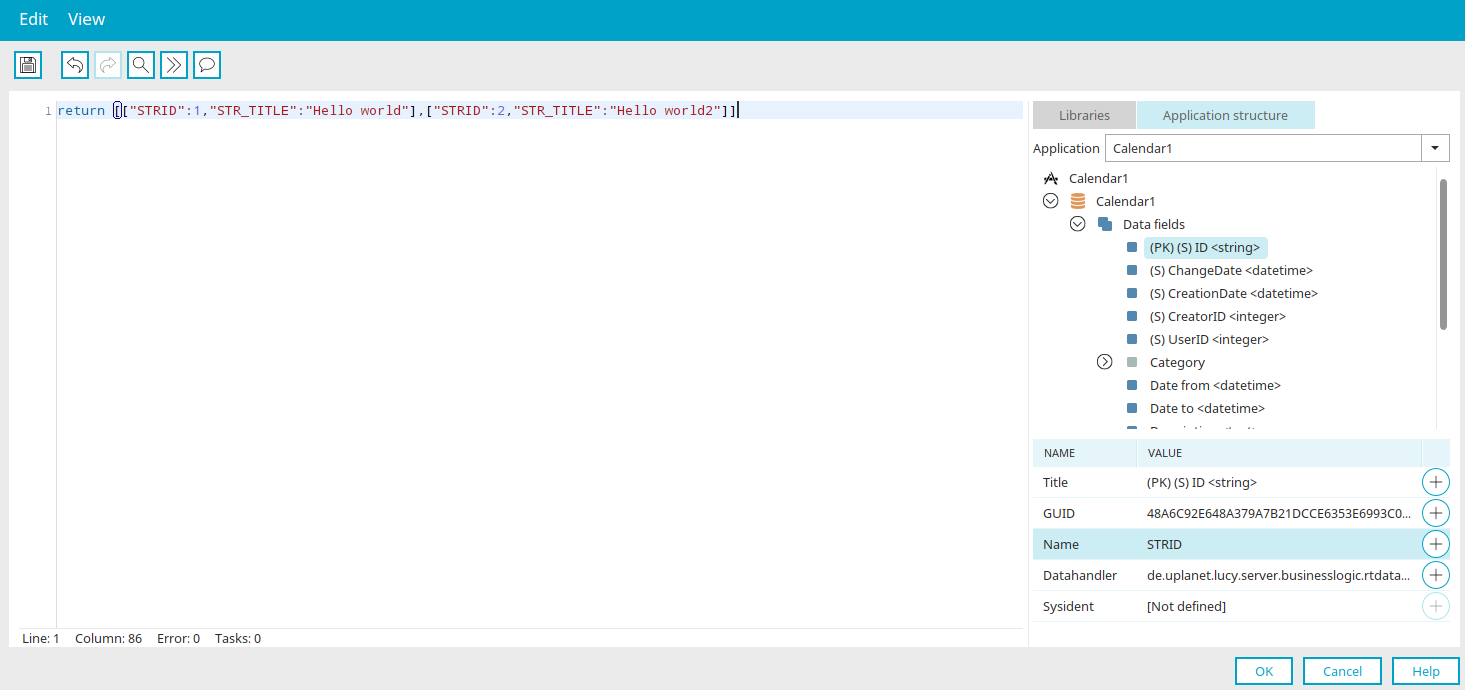
Paste the following script:
return [["STRID":1,"STR_TITLE":"Hello world"],["STRID":2,"STR_TITLE":"Hello world2"]]
"STRID" corresponds to the data field name of the primary key, and "STR_TITLE" is the data field name of the appointment title. Both data field names can be easily identified in the editor on the "Application Structure" tab and inserted into the script.
Call in the browser
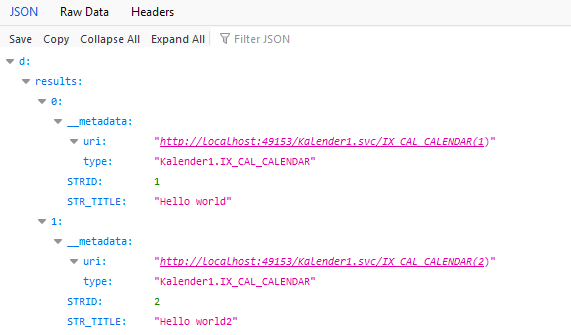
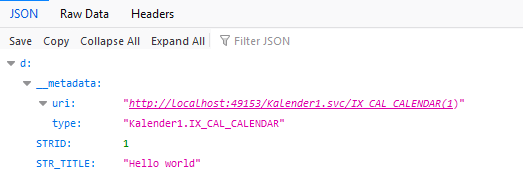
The dataset collection can now be retrieved. The URL can be found on the "General" tab. It corresponds to the "endpoint URL" listed there, to which only the portion "<function name>?$format=json" is appended.
If you want to retrieve only a single record, write the Groovy script as follows:
return ["LID":1,"STRHEADLINE":"Hello world"]
Also, disable the "Is Collection" setting on the "Functions" tab.