

Expert Mode in the "Integration" module
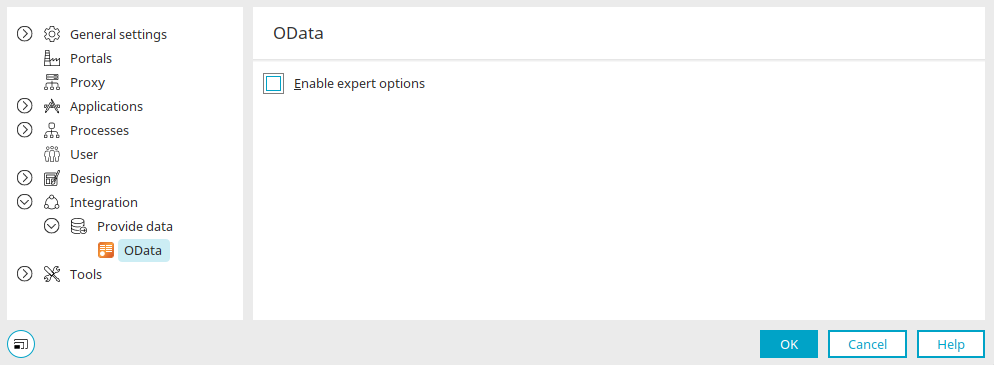
From the main menu ("Tools / Options / Integration / Publish Data / OData"), you can access the "Enable Advanced Options" setting.
In the "Applications" module, you can then define expert settings for the OData service on the "Expert" tab.
OData
The following settings are available for OData:
Data Groups
-
odata.dataGroup.consumerCfgGuid
GUID of the OData external data source configuration.
-
odata.dataGroup.consumerServiceGuid
GUID of the OData service within the OData configuration.
-
odata.dataGroup.impersonateUserGuid
The GUID of the Intrexx user in whose context data group actions are to be executed.
-
odata.dataGroup.mergeMethod
Defines the HTTP verb to be used for update operations (either PUT or MERGE; the default is MERGE).
-
odata.dataGroup.entityType
Fully Qualified Name of the OData entity type for this data set.
-
odata.dataGroup.entityName
Name of the OData entity for this data set.
-
odata.dataGroup.entitySet
Name of the OData entity set for this data set.
-
odata.dataGroup.supports.pagination
Specifies whether the OData service supports pagination for query results. By default, Intrexx uses pagination. To do this, the service must support retrieving the number of records via $count. If this is not the case, this value can be set to False.
-
odata.dataGroup.supports.sorting
Specifies whether the OData service supports sorting of result sets. By default, Intrexx applies a sort order. If the service does not support this, this value can be set to False.
-
odata.dataGroup.supports.inlinecount
Specifies whether the OData service can return the number of records along with the result sets when a query is made. This prevents a second query from being executed via $count. This value is set to False by default.
-
odata.dataGroup.supports.fieldselection
Specifies whether the OData service supports selecting specific data fields in queries. This value is set to True by default. If the service does not support this, the value can be set to False, which will retrieve all available fields.
-
odata.dataGroup.navigationProperty
Name of the navigation property for 1:1 or 1:n relationships.
Data Fields
-
odata.field.fileExtension
Defines the file name extension to be used for file data fields (e.g., .jpg).
-
odata.field.dataType
Defines the OData data type to be used for the field (overrides automatic data type assignment).
View Tables
-
odata.functionImport.name
Defines the name of the OData service function to be called.
-
odata.functionImport.parameterName
List of function parameter names.
-
odata.functionImport.parameter
Mapping of field GUIDs to function parameters to determine function parameter values.
-
odata.customQueryOptions
Map for assigning values as custom query options. The key for the map is the query option name; the value can be either a field GUID or a fixed value. In the case of a Field GUID, the value for the custom query option is determined at runtime from the input field with the corresponding GUID.
The following settings are available for SAP Gateway:
Data Groups
Like OData
Data Fields
Like OData
View Tables
-
odata.functionImport.name
Defines the name of the OData service function to be called.
-
odata.functionImport.parameterName
List of function parameter names.
-
odata.functionImport.parameterFieldGuid
List of field GUIDs for determining function parameter values.
-
odata.customQueryOptions
Map for assigning values as custom query options. The key for the map is the query option name; either a field GUID or a fixed value can be entered as the value. In the case of a field GUID, the value for the custom query option is determined at runtime from the input field containing the corresponding GUID.
More Information
OData Connector - Publish Data