

Slider

The "Slider" element is one of the basic controls. Various data sources can be used as values for the slider; these are described below.
You can save the slider's values by clicking the corresponding button.
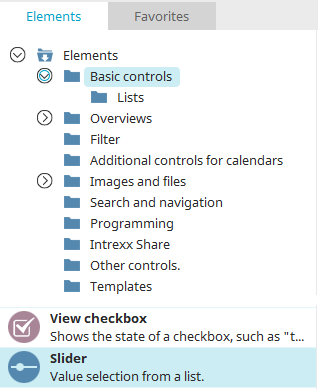
You can find the slider control in the "Applications" module under "Controls. " You can create a new slider by dragging and dropping the element from here onto the workspace.
You can find all the information you need to create the element here.
The Properties dialog box for a slider opens automatically when a new slider is created. The Properties dialog box for an existing slider can be opened by double-clicking the element on the workspace, selecting "Properties" from the context menu, or selecting "Edit / Properties" from the main menu when the element is selected on the workspace.
In principle, the slider behaves the same way as the "Drop-down List" and "List Box" controls. It's simply a different way of handling it in the browser. You can therefore find help on the slider's properties in the help for the drop-down list or by pressing the F1 key on the respective pages or tabs of the Properties dialog box.