

Investment Proposal
This application can be used to submit investment proposals. Investment requests go through an approval process that the application conveniently manages. To learn how to import the template, see: Importing Online Application Templates.
Roles
Roles are automatically created when the template is imported.
App_Invest_User
As a member of this role, you have access to the Investment Requests page and can submit requests there.
App_Invest_Editor
Members of this role also have access to the " Review Requests " and " Reporting" pages. You can approve or reject requests.
App_Invest_Manager
This role allows you to manage statuses and categories on the Administration page. In addition, it includes all permissions for the App_Invest_User and App_Invest_Manager roles.
To learn how to add portal users as members to these roles, see: Roles and Permissions in Application Templates.
Administration
Categories
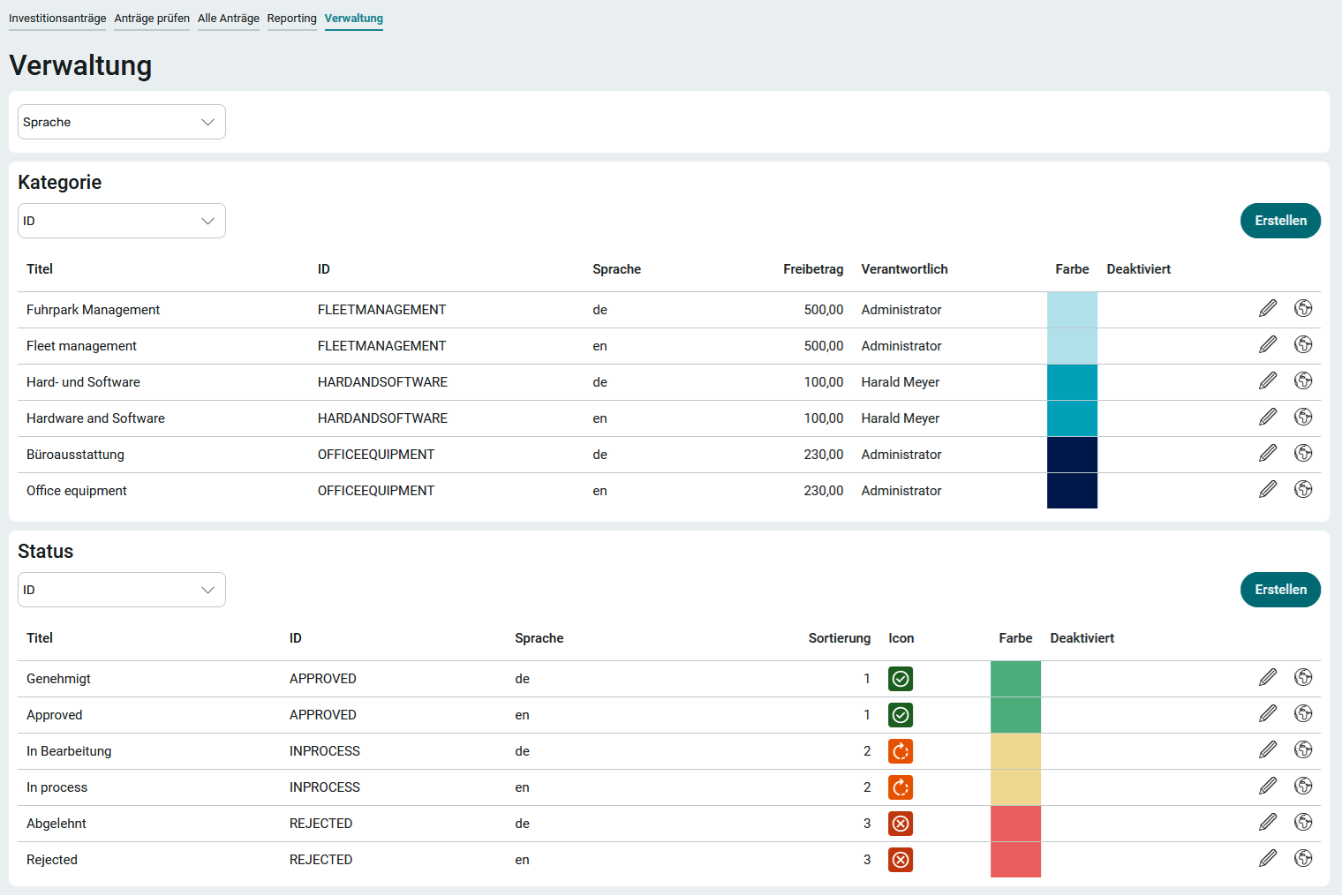
To ensure that the approval process is carried out correctly, you should first go to the "Administration" page and define, for each category, which user is responsible for reviewing an investment request.
1. Click " Edit" next to "  ."
."
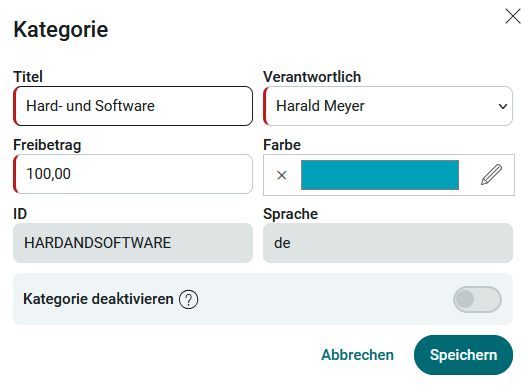
2. Select the person in charge here; they should at least be a member of the App_Invest_Editor role so that they have access to the relevant page and records.
3. Change the title if necessary.
4. Set the deduction amount. For amounts below this threshold, requests are automatically approved immediately upon creation.
Existing categories can be disabled here. It is not possible to delete it directly, because the system first automatically checks whether the category is referenced in the application. Categories that are not referenced or have been deactivated are automatically deleted.
Click " Create " to add new categories. The ID that must be assigned should be unique and can consist of any characters. It cannot be changed after it is saved.
Additional language variants can be created for existing categories. This allows the category to be translated into another language. You can find all the information on this topic here: Multilingualism.
Status
The statuses are used for the individual steps of the approval process. They can be edited or created here. The same rules apply to status IDs as to category IDs.
Additional language versions can be created for existing statuses. The status can thus be translated into another language. You can find all the information on this topic here: Multilingualism.
Submit investment proposals
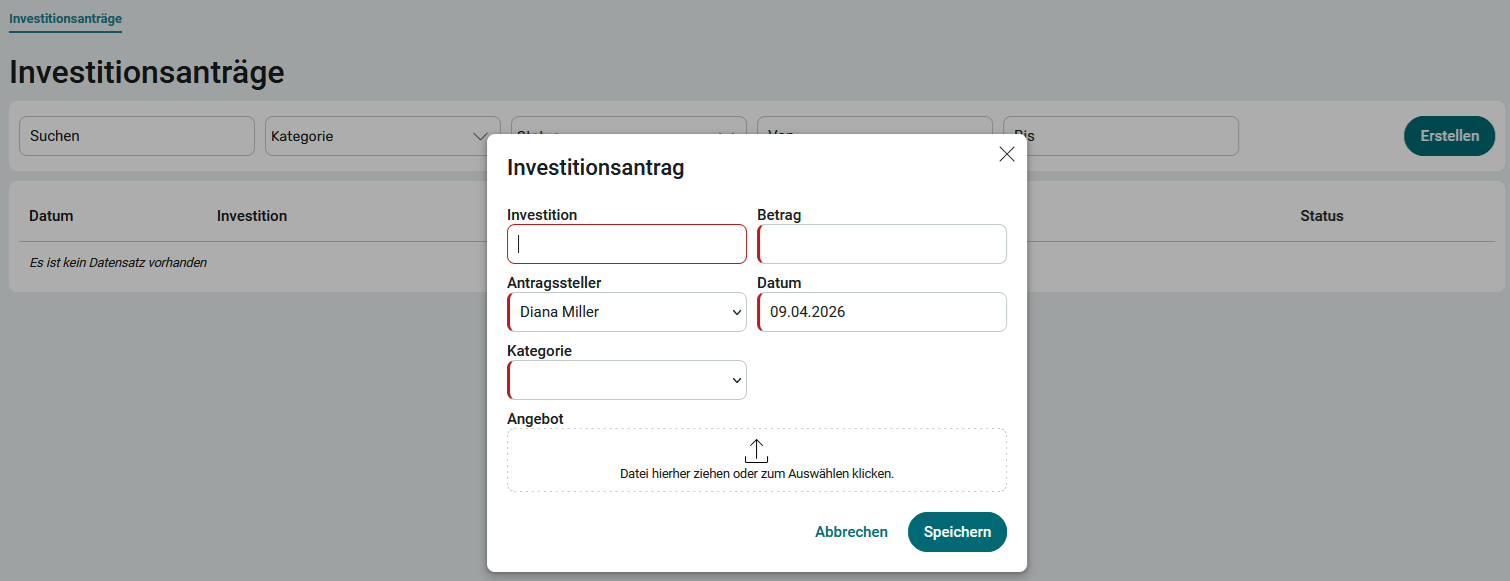
1. On the Investment Requests page , click Create.
2. Enter a title that describes the investment.
3. Enter the amount. Amounts that are less than the threshold specified on the Administration page for the selected category are approved directly without a review process.
4. Select the applicant and a category, and change the date if necessary. If an offer has already been made, it can be added here.
5. Click Save.
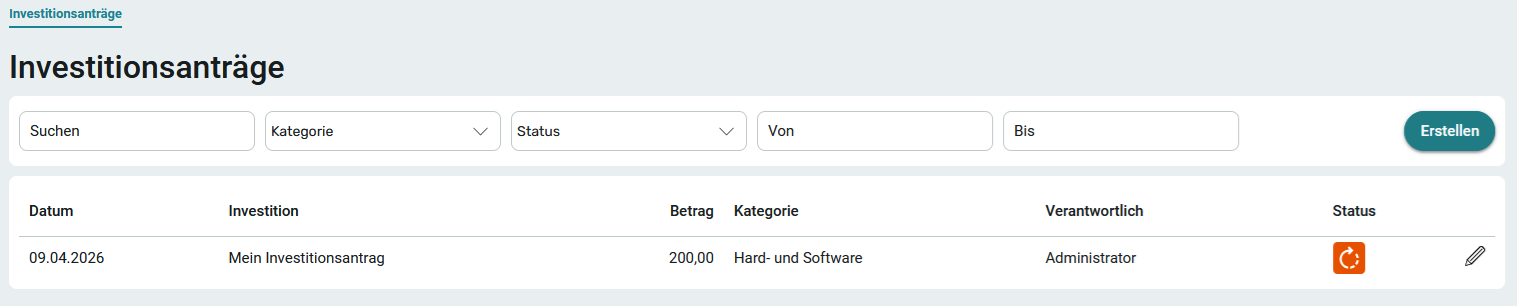
Click " Edit " to edit the data again. You can also use this method to delete the entire investment application.
Review Applications
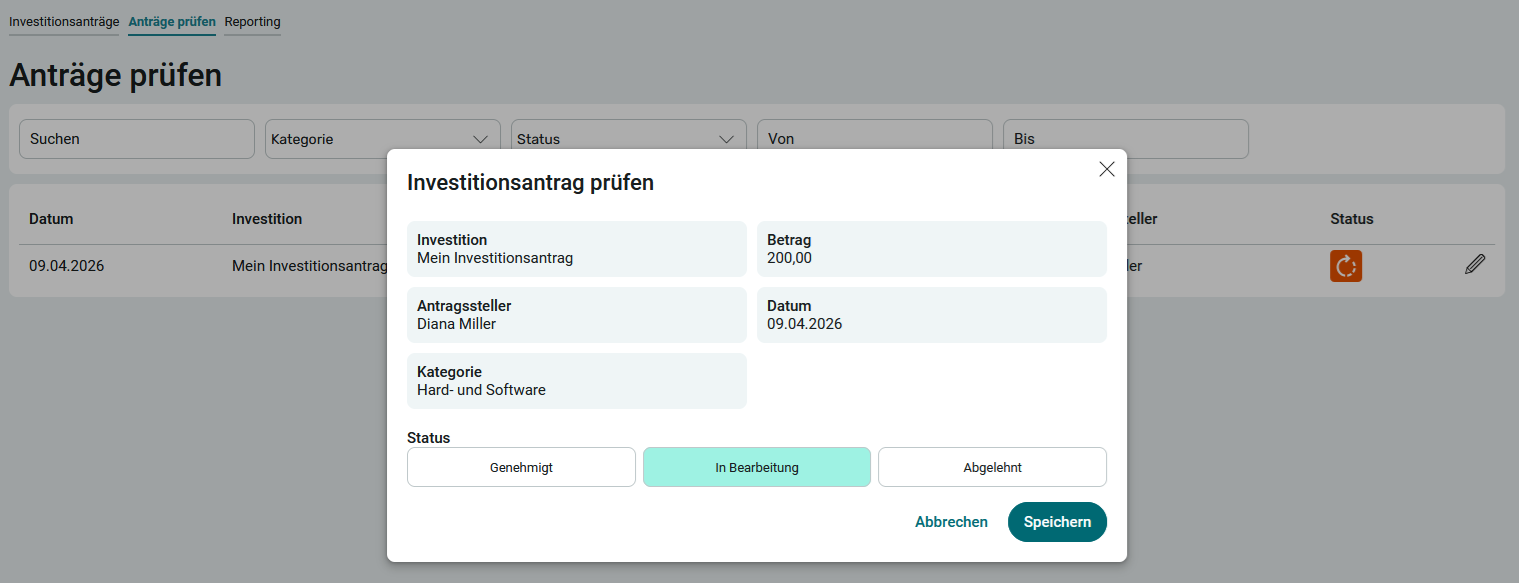
1. On the " Review Applications " page at  , click " Edit."
2. Depending on the situation, click Approved or Rejected.
Reporting
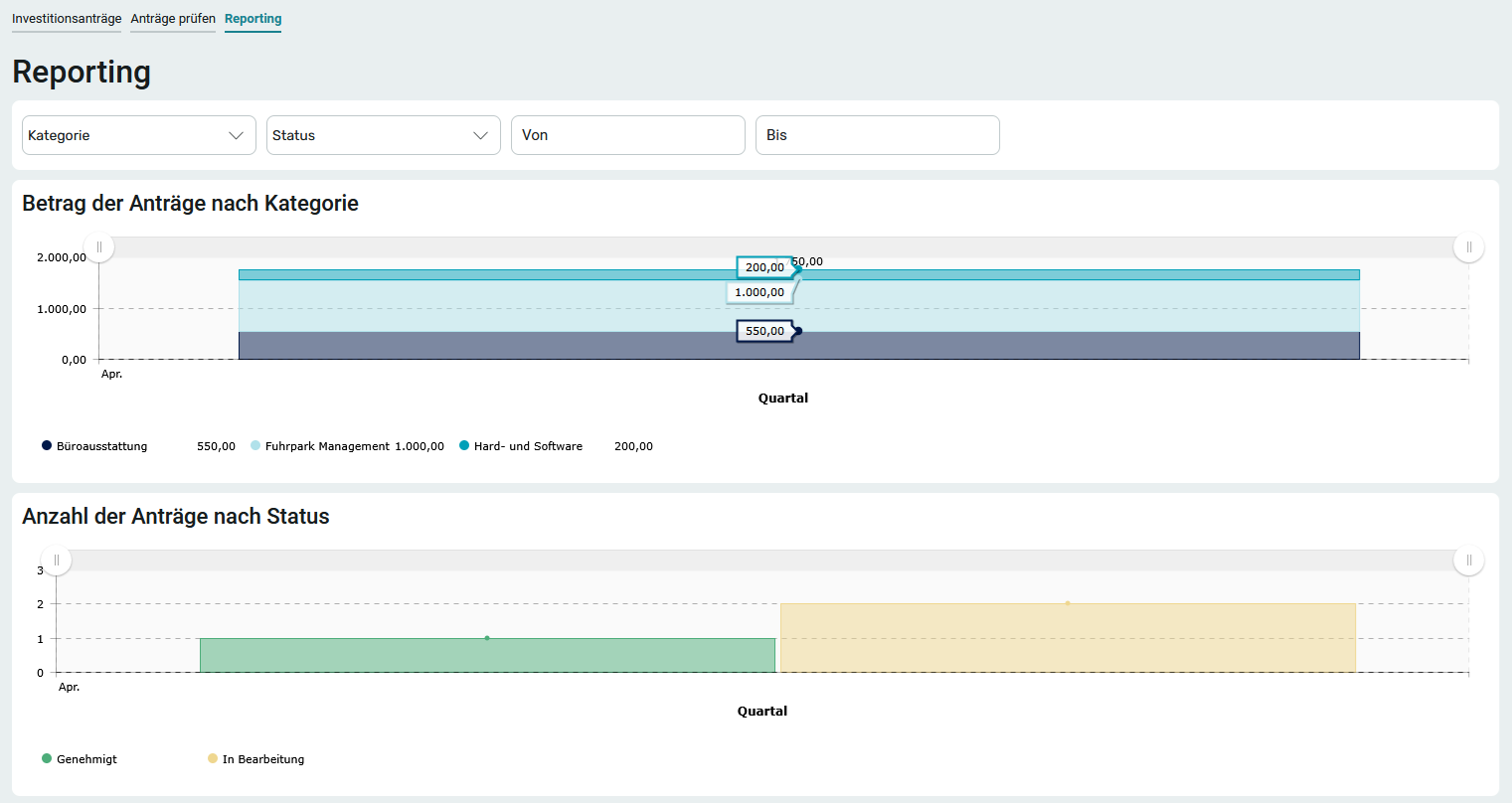
On the Reporting page, you 'll find a graphical overview of all investment requests. The individual investment proposals are totaled—broken down by category. When you hover your mouse over each bar, more detailed information about that bar appears in the chart.
All Motions
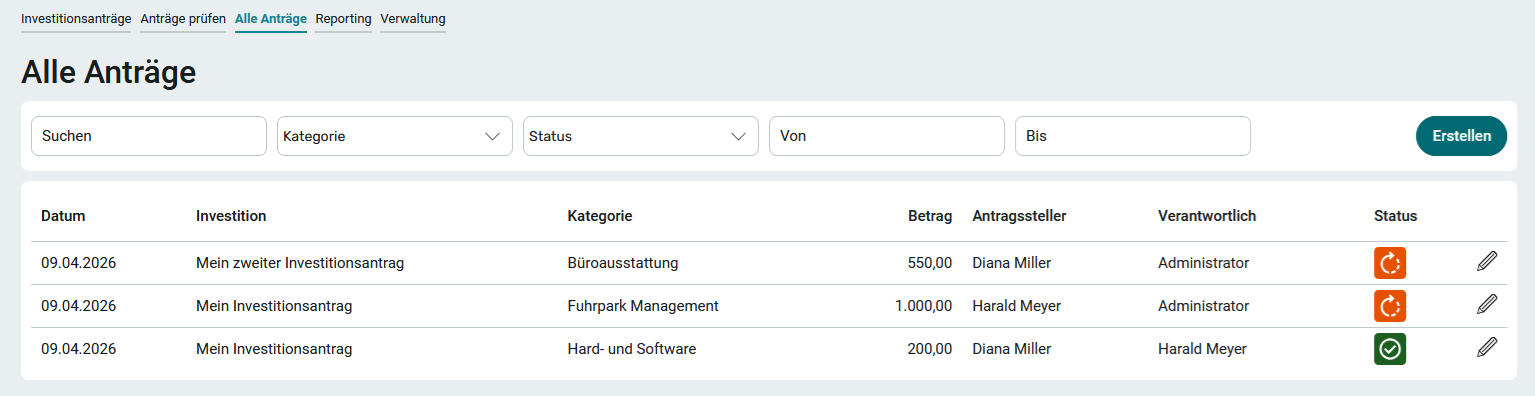
This page lists all existing investment proposals. They can be edited as needed. It is also possible to create new investment proposals.