

Game Types
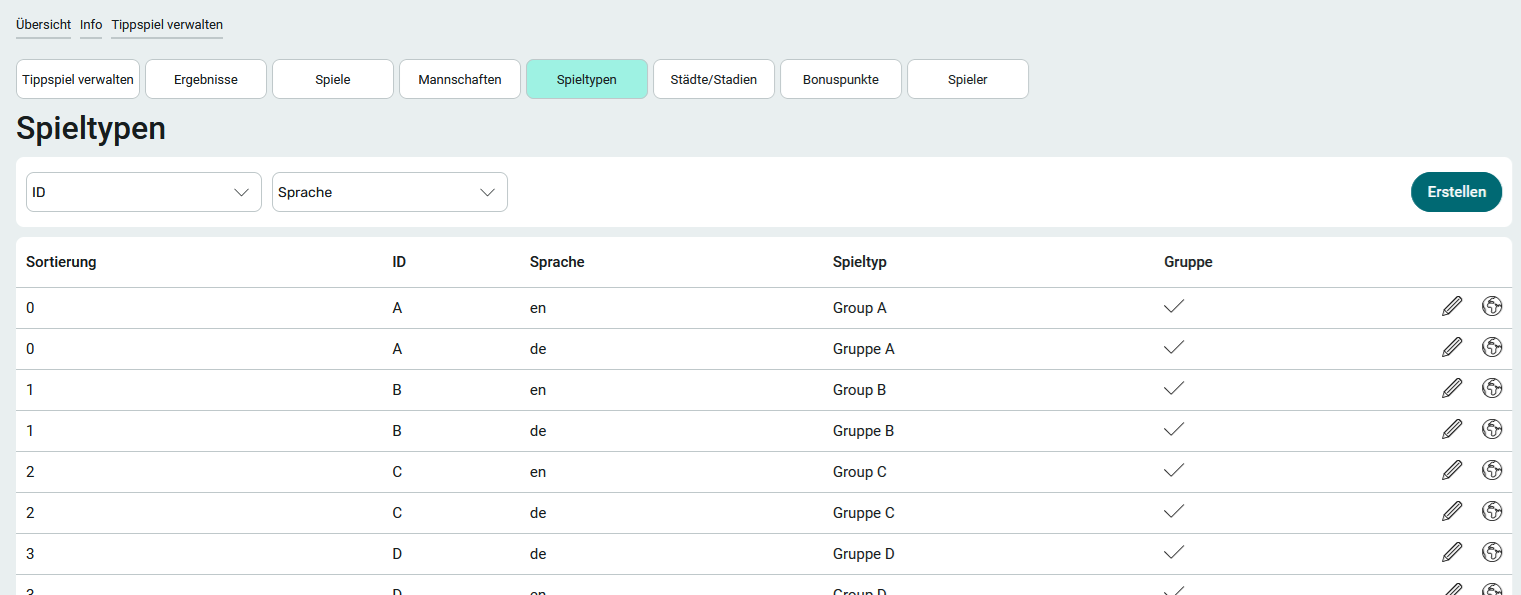
As a member of the App_ChampionshipBettingGame_Manager role, you can access the " Game Types " page via the " Manage Prediction Game" menu item in the application menu.
During a tournament, there is usually a group stage followed by a knockout stage with the round of 16, quarterfinals, and so on. Different match formats are used for the various stages.
You can edit the data for existing game types by clicking " Edit " at  .
.
Create a game type for each group and a game type for each game in the knockout stage.
1. Click Create.
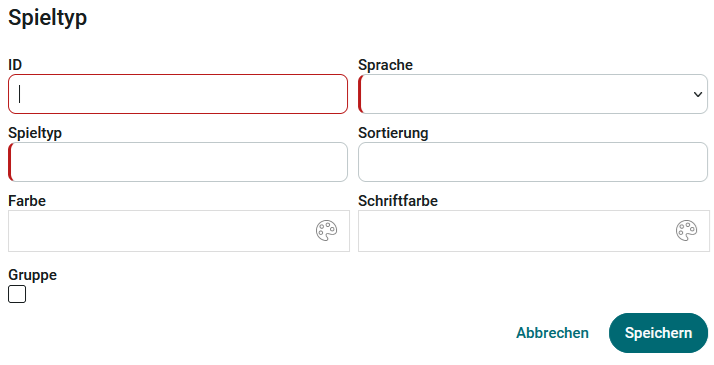
2. Enter an ID. The ID must be unique and can consist of any characters. Once saved, the ID cannot be changed. In group matches, the ID is used to identify the group, for example, on the " Teams" page.
For matches following the group stage of a tournament, appropriate IDs such as QF (Quarterfinal) or FINAL ( Final) are recommended.
3. Select the language you want. For more information about languages in application templates, see: Add a Translation.
4. Enter a game type.
Match formats refer to the types of matches played during a tournament, such as the European Championship. As a rule, group matches are played first. Depending on the number of participating teams, the round of 16, quarterfinals, and semifinals will take place after the group stage. The last type of game is the final. If necessary, there may also be a match for third place.
The types of matches may vary depending on the tournament or championship and, in some cases, depending on the sport.
5. The " Sort " field controls the order of the game type list.
6. Set the color and text color for the game type. The color is used in various places throughout the app (e.g., on the Games page). The text color is used in the calendar on the " Game Dates" page , which you can access via the " Overview " application menu.
7. Check the " Group" checkbox to designate a game type as a group game.
8. Click Save.