

Teams
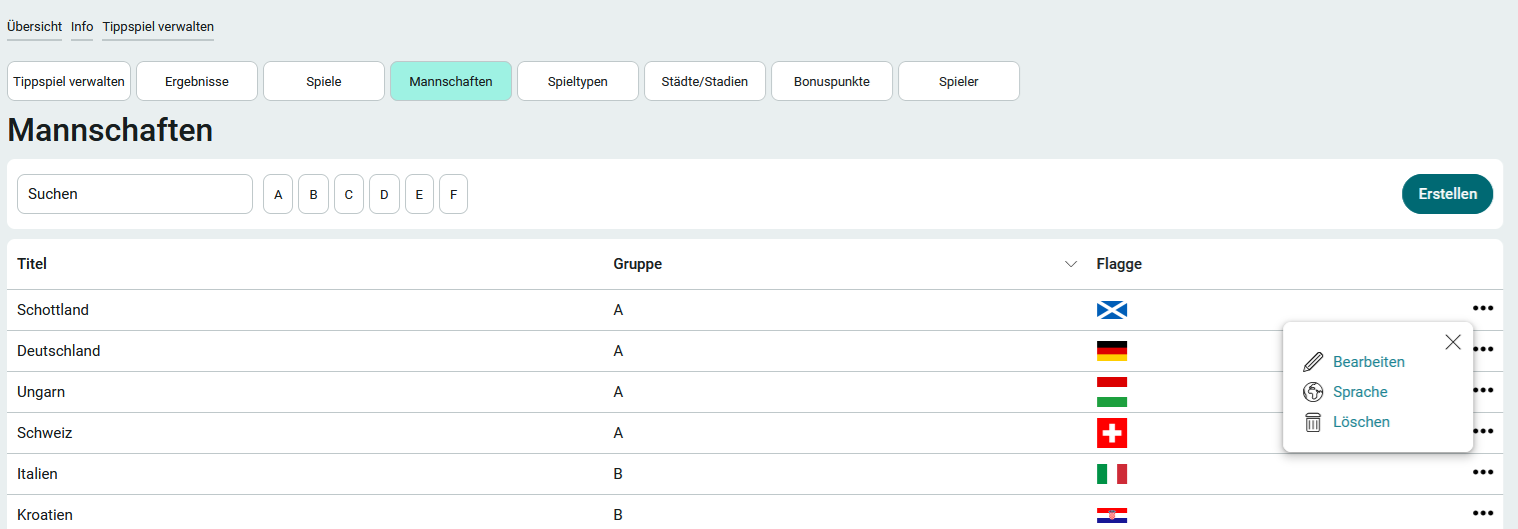
If you are a member of the App_ChampionshipBettingGame_Manager role, you can access the " Teams " page via the " Manage Prediction Game" application menu.
The 2024 European Championship teams and groups are pre-loaded in the prediction game's default settings. Depending on the league you want to set up, you can edit or delete existing teams, or create new ones.
You can filter the table by group by clicking one of the letter buttons above the table. For this filter and in the " Group " column of the table, the IDs of the groups managed on the " Game Types " page are used. You can also search for teams directly above the team standings.
To edit a team's data or delete it entirely, click "  Options" to the right of a club in the table. When deleting teams, make sure that any games that reference those teams are updated or deleted as well.
If you want to create a new team, follow these steps:
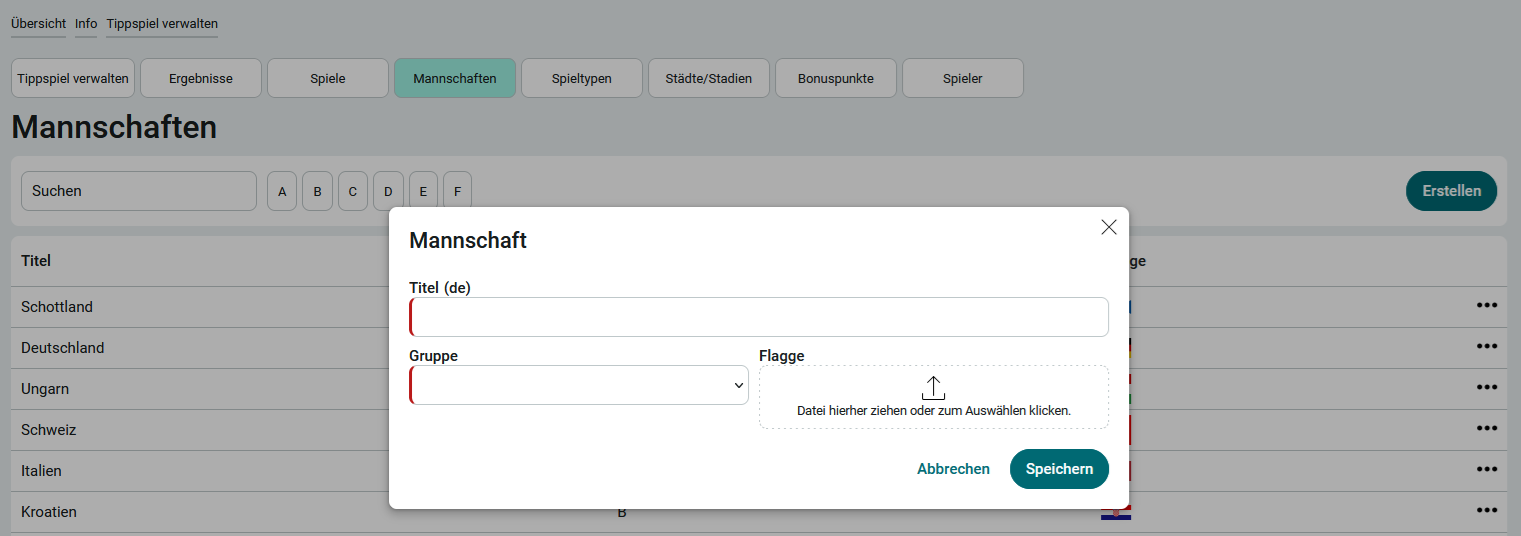
1. Click Create.
2. Enter the team name in the "Title" field.
3. Optionally, the team can be assigned to a group. Groups are listed on the page
Manages game types.
4. Optionally, you can upload a flag or another image that represents the team.
5. Click Save.