

Photos
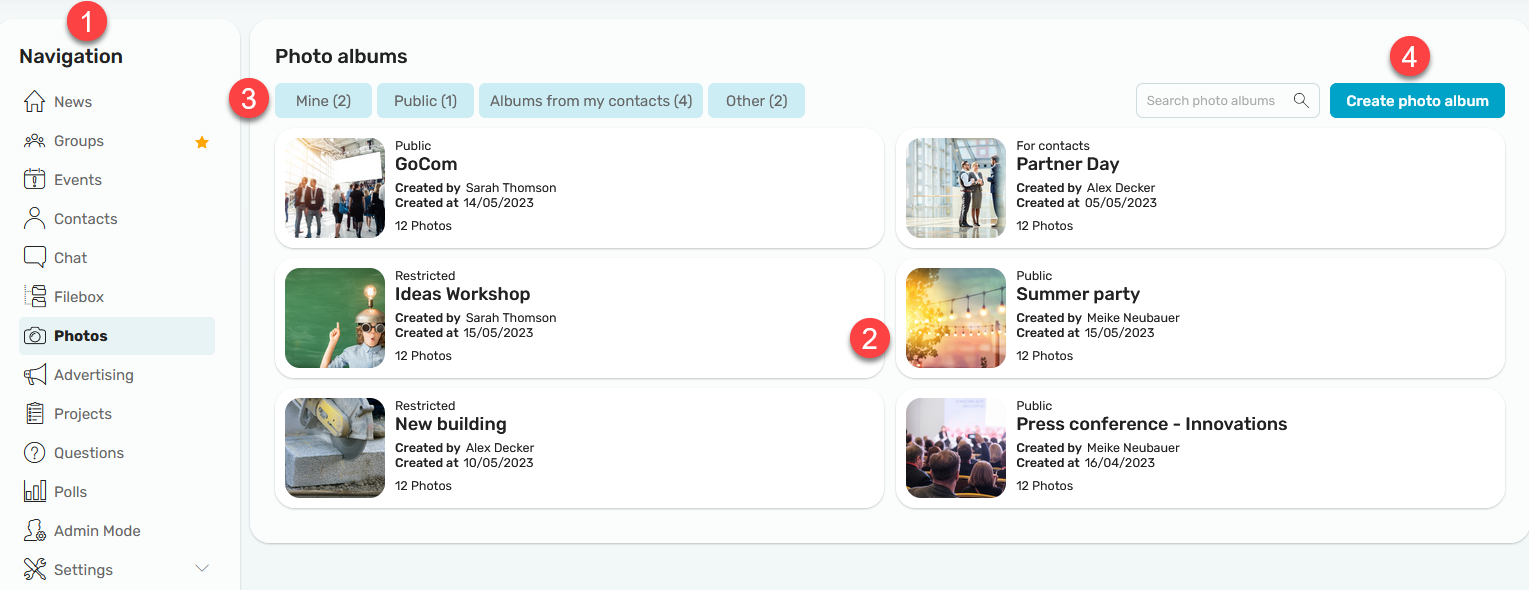
Here you can create photo albums and upload photos. Videos and other files can also be added to an album.
1. Navigation
Click "Photos" in the navigation bar to open the module.
2. Photo Albums
In the middle section, you'll find all the photo albums.
3. Filter
Here, you can filter albums by the following criteria: My Albums, Public, Albums from My Contacts, and More.
4. Create a photo album
Click "Create Photo Album" to create a new album.
Create a Photo Album
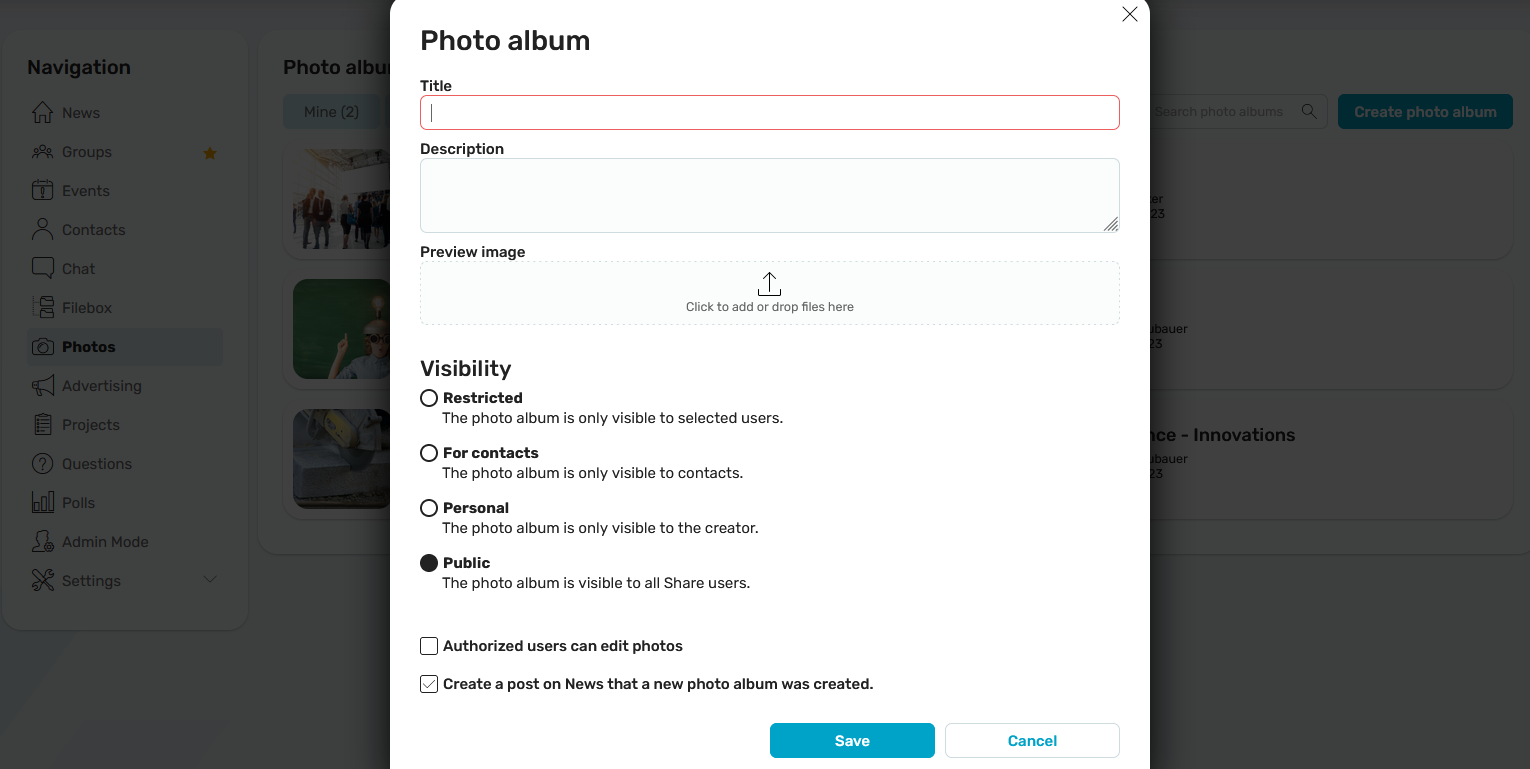
Enter the album title and description here. You can then upload a thumbnail image.
Visibility
If you share the photo album with a limited group of people and grant an Intrexx Share group access to the photo album, the users in that Intrexx Share group will be kept in sync with the photo album.
Authorized users may edit photos
This setting allows authorized users to add or delete photos from the album.
Notify me when a new photo album is created
With this setting, a post will be published in the "News" module whenever a new album becomes available.
Album - Details Page
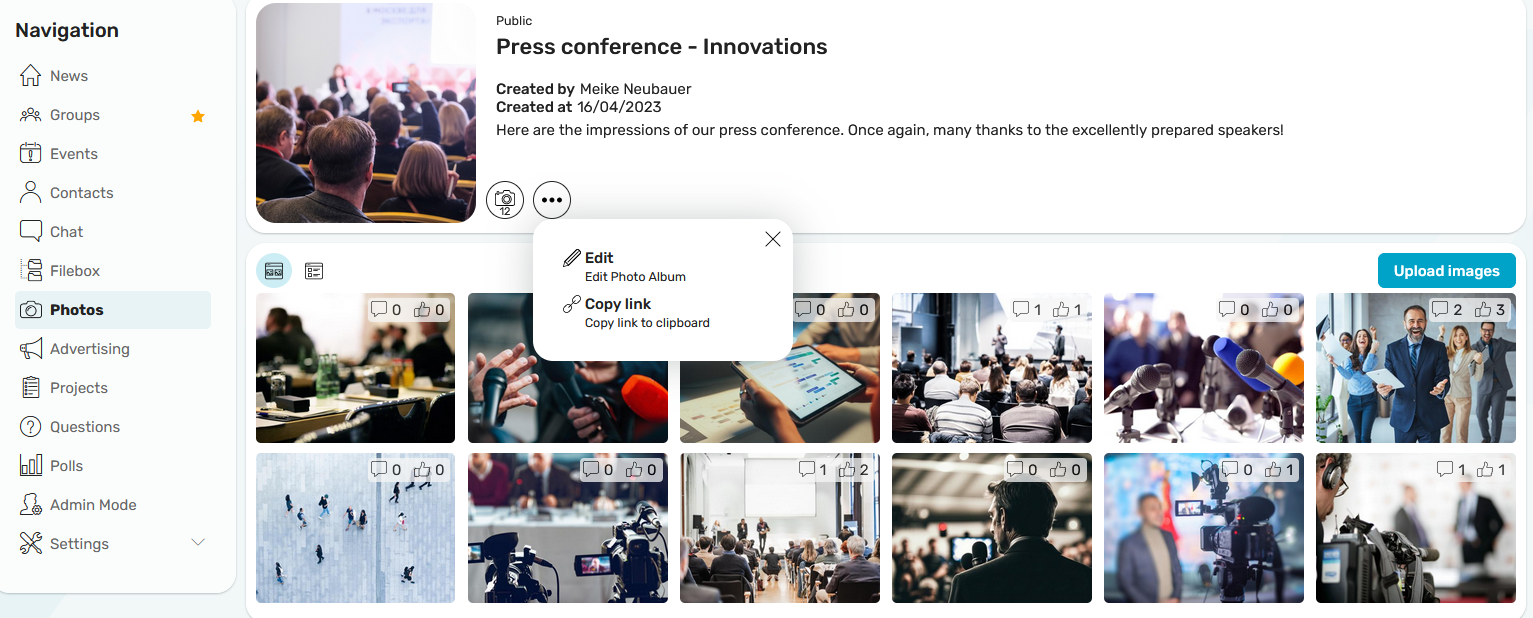
An album's detail page is divided into two sections. The top section displays all the important information about the album. The uploaded photos are displayed below and can be commented on or liked.
 Number of photos
The number of photos included is displayed here.
 Options
Clicking "Options" opens a menu. Album creators can edit their albums here. All users can use "Copy Link" to copy a link to the album to the clipboard.
Upload Images
Clicking this button allows you to upload new photos and, if necessary, remove existing photos from the album. The following formats are allowed: svg, png, jpg, jpeg, gif, bmp, and tif. Videos and other files can also be uploaded to an album.
Views of the Photo Gallery
The photos can be displayed in a gallery view.
 Gallery
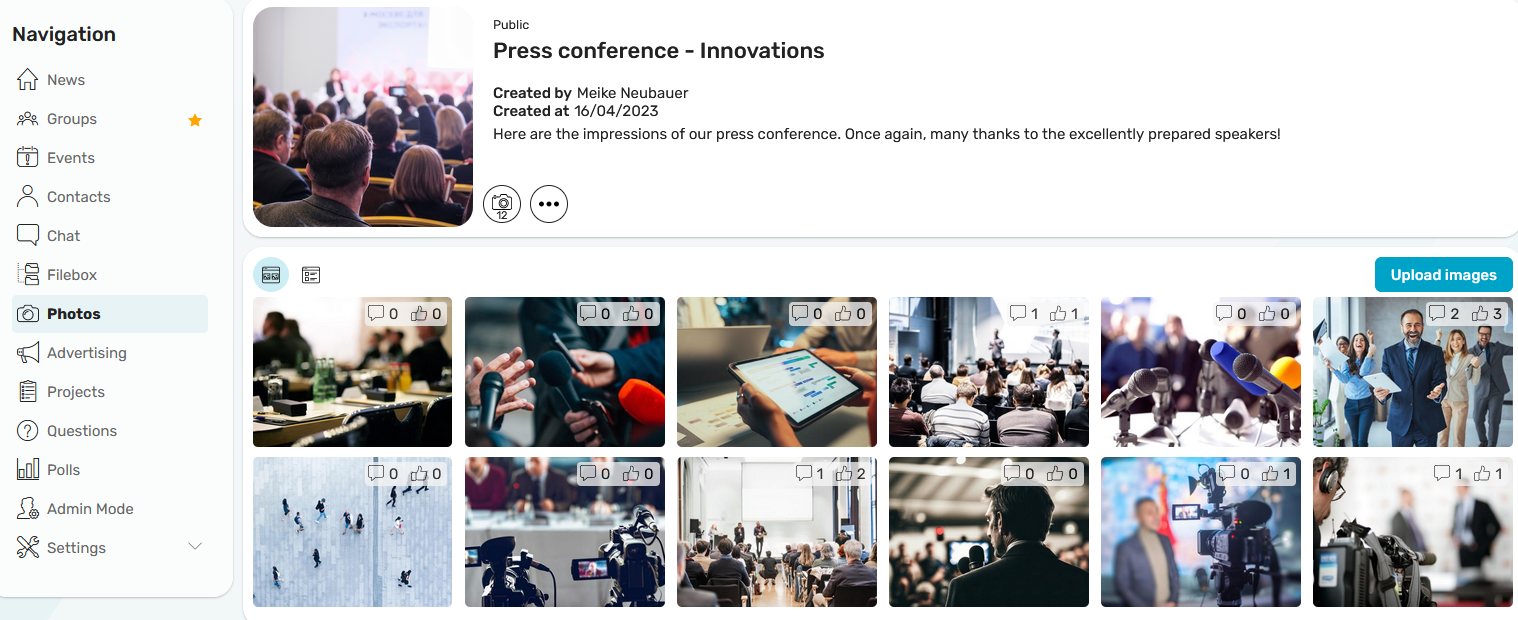
In this view, the photos are displayed as thumbnails. Here, you have the option to comment on or like the photos using the icons. The most recently uploaded photos are displayed first.
Photos for News Feed Plugin
You can find all the information about plugins here.