

Exporting and Importing Global Language Constants
Global language constants can be exported and imported via the main menu: "Portal / Portal Properties / Country Settings / Global Texts / Global Language Constants. "
Export
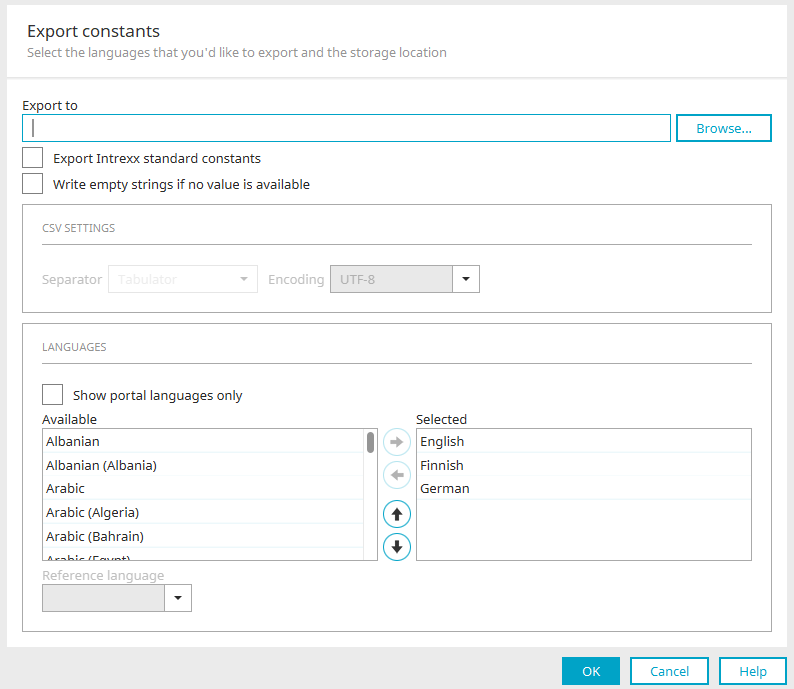
When exporting language constants, you'll find the same settings as for exporting text, with two exceptions:
Export Intrexx Standard Constants
The Intrexx standard constants are included in the export.
Set empty strings for missing values
If text is missing—for example, if a title in French is missing—enter an empty string. This ensures that the "French" language attribute is created for this title during import, provided it does not already exist for this title in the destination. If the setting is not configured, the attribute will not be created in the XML.
Import
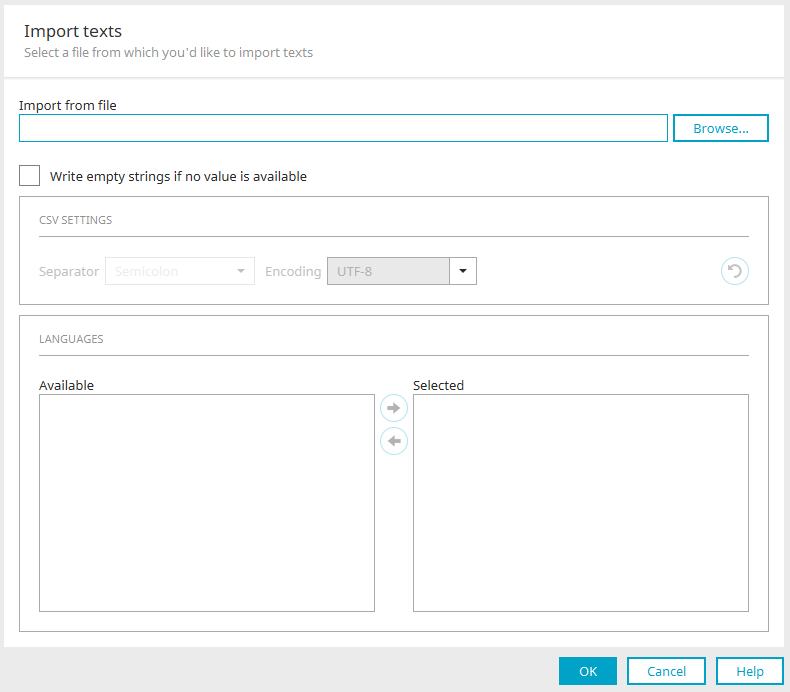
Select the import file. Accepted import formats are CSV, XLS, XLSX, and XML. The remaining settings in this dialog box correspond to the settings that can be configured during export.
Set empty strings for missing values
When you import text, you'll also find the setting "Set empty strings for missing values" here. This controls whether missing text is written to the XML as empty strings during import.
Example: The import file does not contain any text in French for a label. If this setting is not enabled during import, the label will not receive a French attribute in the title element, provided that no such attribute existed prior to the import. If this setting is enabled, the title element will be assigned the attribute for French with an empty string as its value.
Import Statistics
When modified or new language constants are imported, a corresponding report is generated after the import is complete.
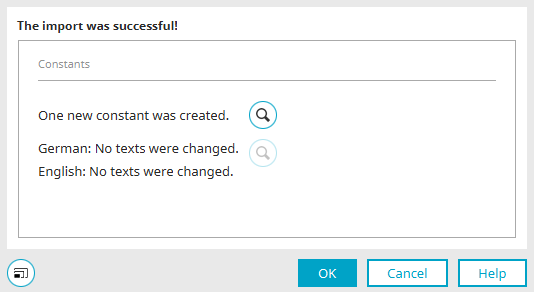
Click the "  " magnifying glass button here to display detailed information.
Import Details
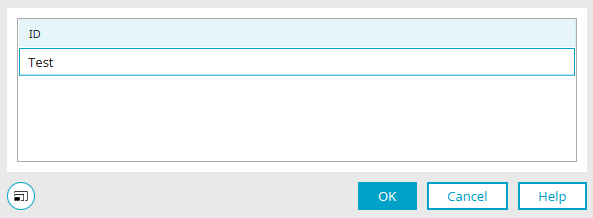
Here you will find information about the import details.
XML Export Format for Language Constants
The XML format for importing and exporting language constants groups all text constants within the <texts> block. Each constant is defined using an <element>. The constant name is specified as the key, and the value of the type must always be "constant." The individual language variants are listed as <text> elements under the <element>. In addition to the ISO language code in the `language` parameter, the deployment mode (ALL, VELOCITY, JAVASCRIPT) of the constant is defined. Language texts defined directly for the controls are identified in the <element> tag using the type parameter (object identifier) and the key parameter (GUID of the control). Additional export details are defined in the <text> tag using the parameters timestamp (export timestamp), (application or portal), guid (application GUID), and refLanguage (reference language).
|
Parameters |
Value |
Description |
|---|---|---|
|
timestamp |
YYYYMMTTHHMMSS |
Export Timestamp |
|
type |
application portal |
Determining whether the export originates from an application or the portal. |
|
guid |
GUID |
Application GUID |
|
refLanguage |
ISO language code |
Source language |
|
version |
Integer value |
Export Version |
            <?xml version="1.0" encoding="UTF-8"?><texts timestamp="20160212155654" guid="798…1F1"
 type="application" version="1" refLanguage="de">    <element key="ADDITIONAL_DISTRIBUTION_LIST" type="constant">        <text language="de" type="VELOCITY">Zusätzlicher Verteiler</text>        <text language="en" type="VELOCITY">Additional Distribution List</text>    </element>    <element type="dropdowncontrol" key="C22…D65">        <text type="title" language="de">Auswahlliste</text>        <text type="title" language="en">Auswahlliste</text>    </element><texts>