

Custom Styles
In the "Design" module, you can easily create your own styles by selecting an element in the "Layout" section. You can then create a selector using the "Add CSS Rule" option in the main menu or the context menu option with the same name.
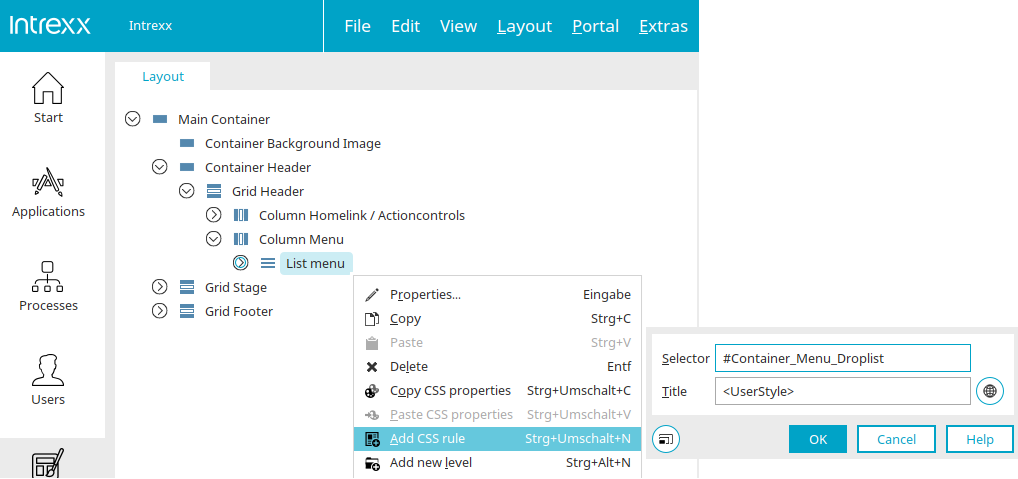
Selector
Enter the name of the selector here that identifies the element in the layout's CSS. Please be sure to use unique selectors.
Title
Here you can give the style a name that will be used when it is displayed in the various sections of the "Design" module.
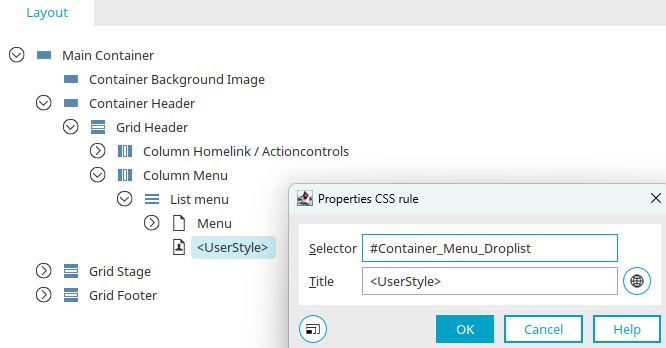
You can also access the Properties dialog for custom CSS rules via the "Layout / Structure" section—for example, by double-clicking on it or selecting "Properties" from the main menu or context menu.
Element Settings / Options - Edit CSS Properties
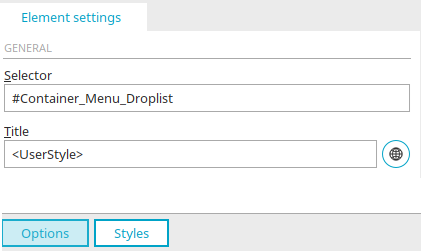
The selector and title can also be edited in the element settings / options when the custom style is selected in the "Layout / Structure" section. By clicking "Styles," you can then define the desired CSS properties. You can find more information here.
Here's how to create a group for styles to organize them more clearly in the "Layout" pane.