

Container
A layout contains various types of containers in which additional layout elements can be grouped.
Surrounding Container
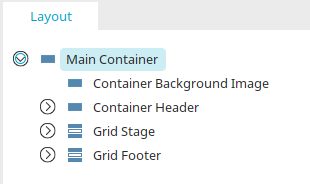
The surrounding container holds all the elements of a layout. It is the top-level element in the layout structure.
The surrounding container cannot be deleted. Its properties can be described as follows, just as in can be edited for all other elements in the Element Settings or via the Properties dialog. For an empty layout If the surrounding container has absolute positioning, that means any additional element you create with absolute positioning will be positioned relative to the surrounding container.
Element Settings
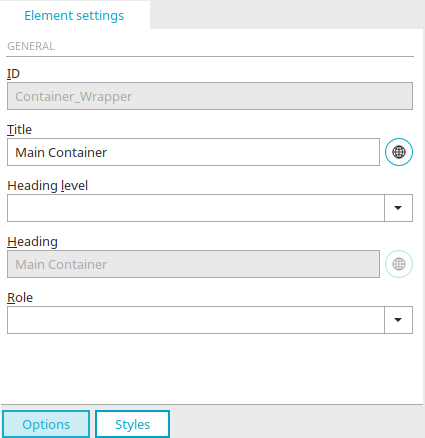
Here you will find a description of the general element settings. The heading level has no effect on the layout hierarchy within the surrounding container, but—like the heading itself—it is written in the HTML below the container and can thus be used by screen readers and search engines.
Other Containers
Click here to learn how to create additional containers in the layout.
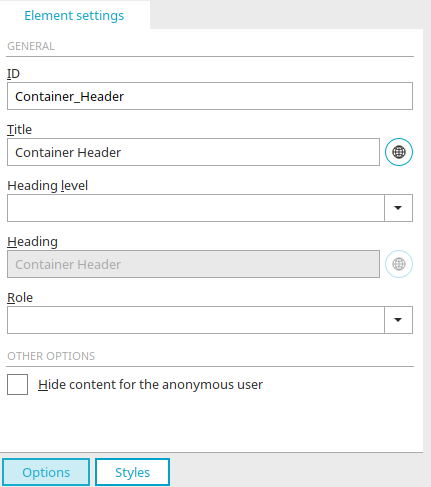
Element Settings: Hide content from anonymous users
For containers, you can optionally choose whether to hide the element's content from users who are not logged in. If this setting is not enabled, the content will be displayed even to users who are not logged in.
Here you will find a description of the general element settings.
Click here to learn how to create additional containers in the layout.