

Wiki
With this application, portal users can gather knowledge and make it available to other users. To learn how to import the template, see: Importing Online Application Templates.
Roles
Roles are automatically created when the template is imported.
App_Wiki_User
As a member of this role, you can read wiki posts.
App_Wiki_Editor
This role allows users to edit wiki posts.
To learn how to add portal users as members to these roles, see: Roles and Permissions in Application Templates.
Add a Page
Step-by-Step
-
To add a new page, log in to the portal as a member of the App_Wiki_Editor role and open the Wiki application's home page.

-
Click "
 " and then " Create."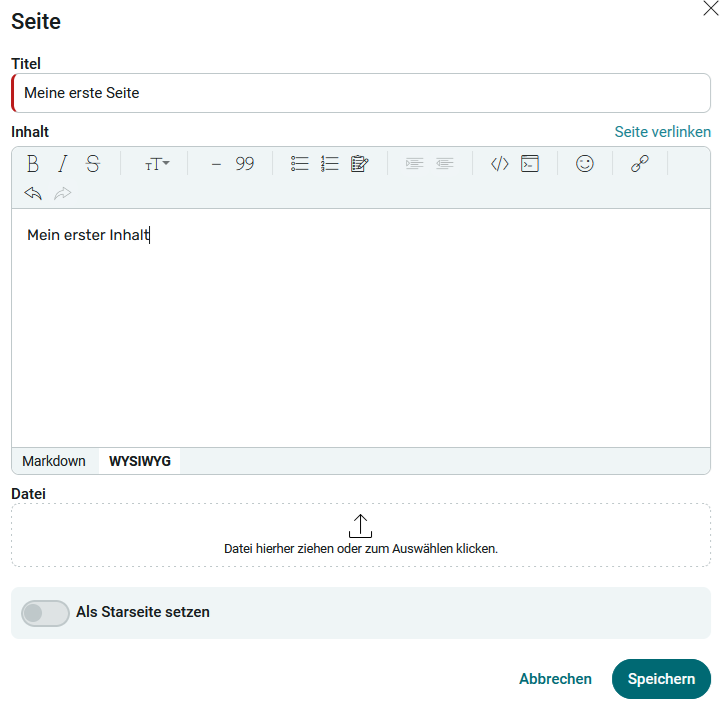
-
Enter a title for the page and its content here. You can also upload a file . Setting this as the home page makes the page appear first when you open the wiki app. If a page other than the home page is set as the start page, that page will be displayed first.
-
Click Save.
Options Menu
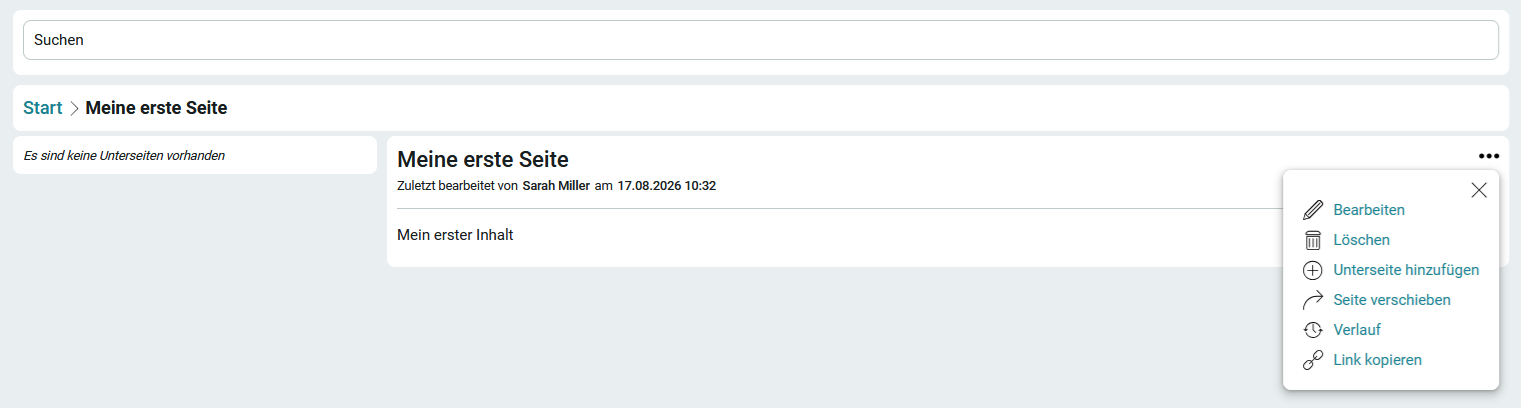
If you have the appropriate permissions, you can access the "  " options menu on any wiki page. Here, you can edit or delete the page. If you delete a page that is linked to another page, a corresponding warning message will appear.
The " Copy Link " option copies a link to the page to the clipboard, allowing you to share it with other users so they can go directly to the page.
Add a subpage
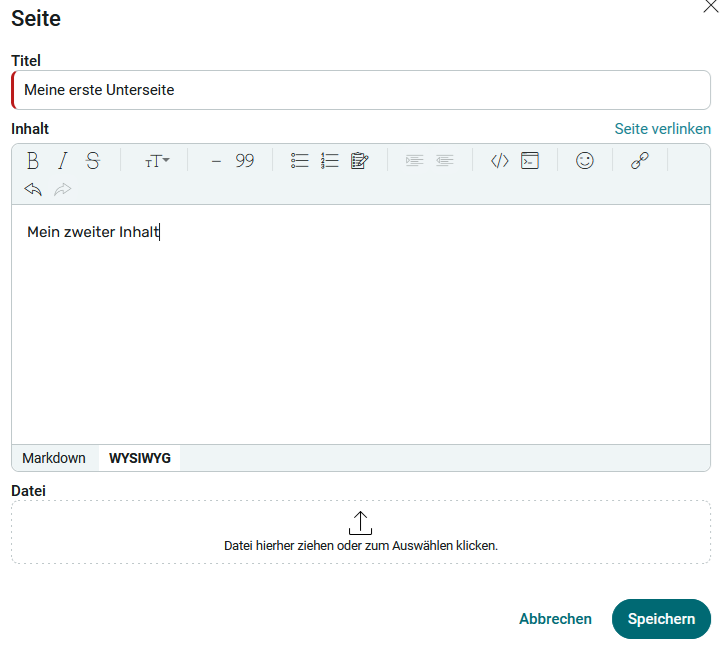
Enter the desired information and click Save.

Directly below the search bar, you can use the breadcrumb trail to navigate through the site levels. Simply select the page for which you want to create a subpage. Pages can be nested to any level and organized into any number of subpages.
Move Page
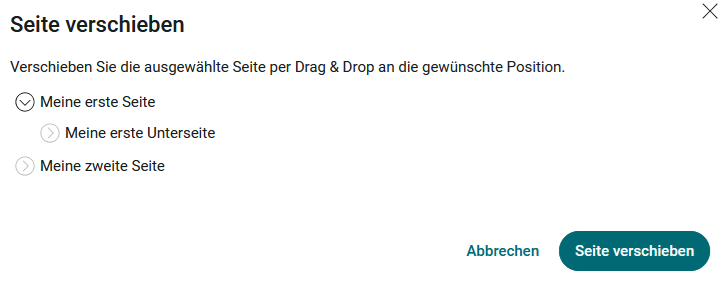
Using this menu option, you can easily move pages within the wiki's page structure using drag-and-drop.
History
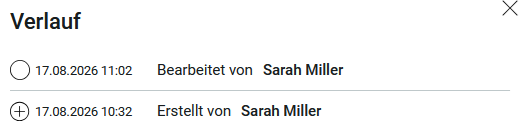
Here you can view the page's edit history.
Link to Pages
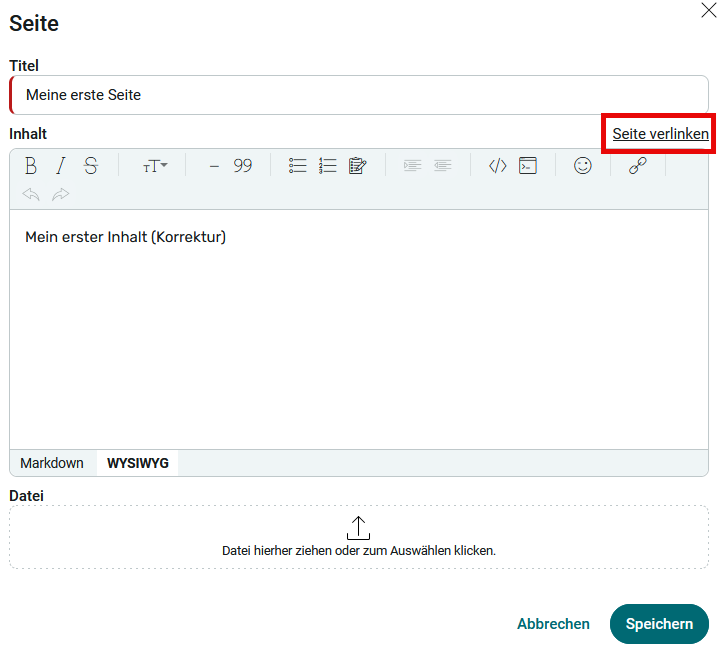
When editing or creating a page, you can copy the direct link to that page to the clipboard by clicking " Link to Page."
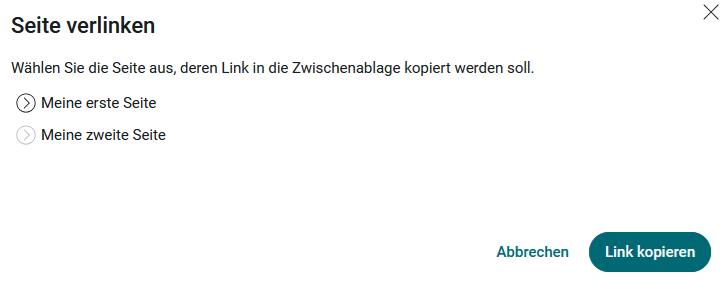
Select the page you want to link to here, then click " Copy Link." The link will then be copied to the clipboard. You can then paste the link into the " Content " field on the page you are currently editing.