

License Assignment
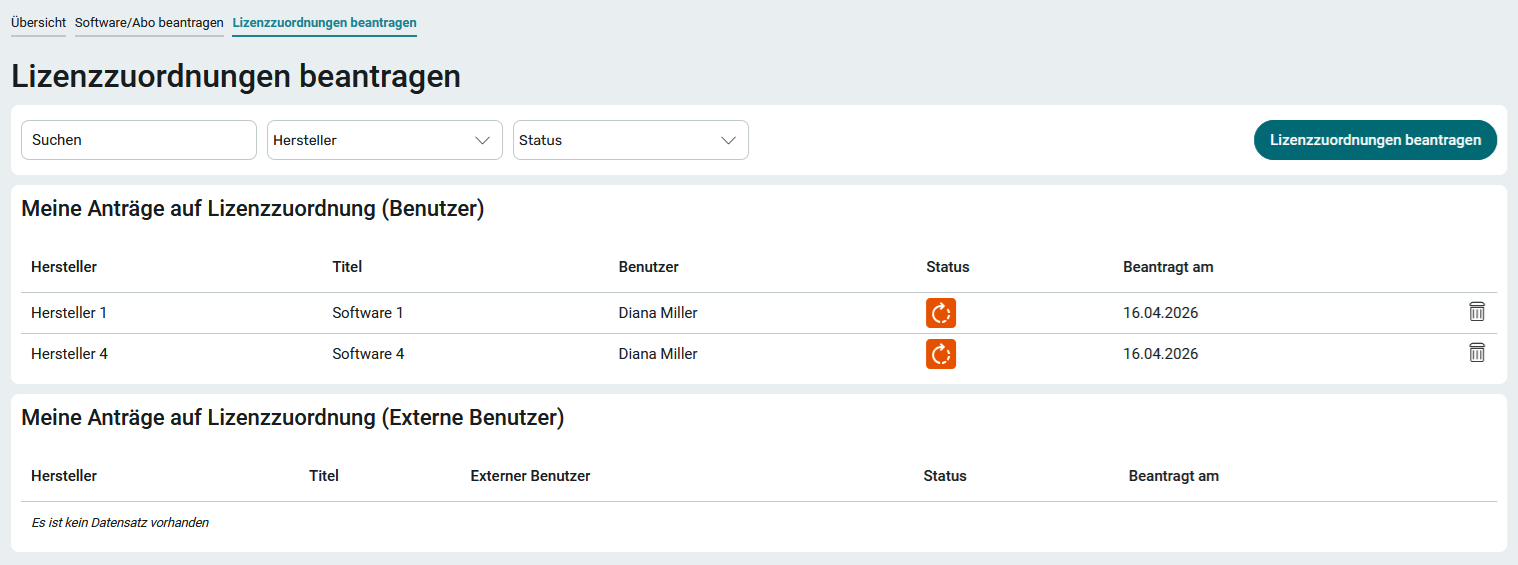
Request License Assignments
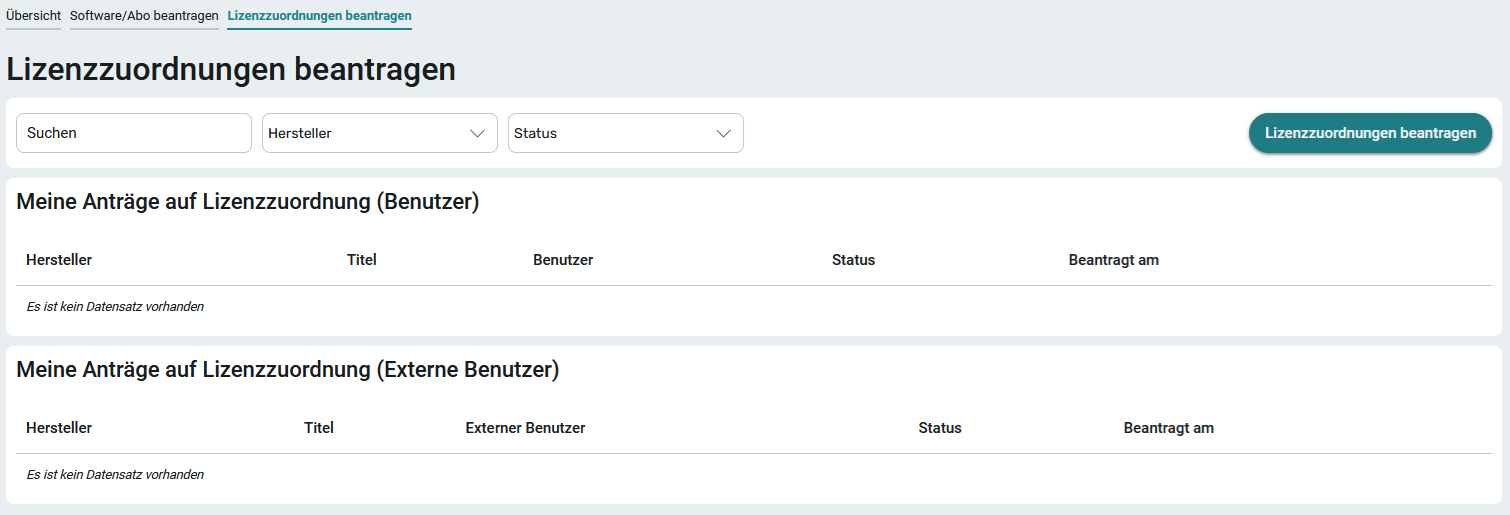
To access the " Request License Assignments " page in the application menu, you must be at least a member of the App_LicenseManager_Editor role.
When assigning a license (whether a single license or a license package), the users who will actually use the software—which has already been requested and approved —are specified. The system automatically checks in the background to see if the license has already been assigned to the user. If this is the case, the allocation will not be posted again.
1. Click " Request License Assignments."
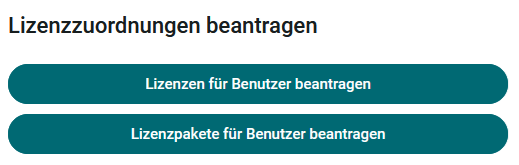
2. Here, decide whether you want to request licenses or license packages for users.
Request License Assignments for Users
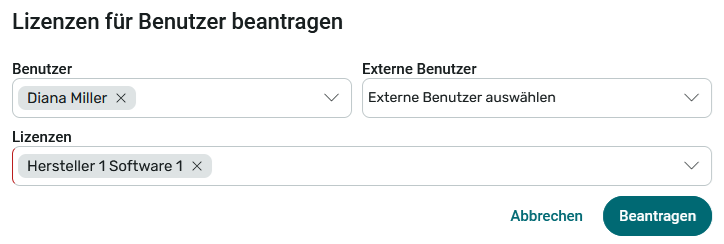
3. Select the desired data here and click " Apply."
Request License Packages for Users
Before a license package can be requested for users, it must first be approved by a member of the App_LicenseManager_Manager role on the Administration page.
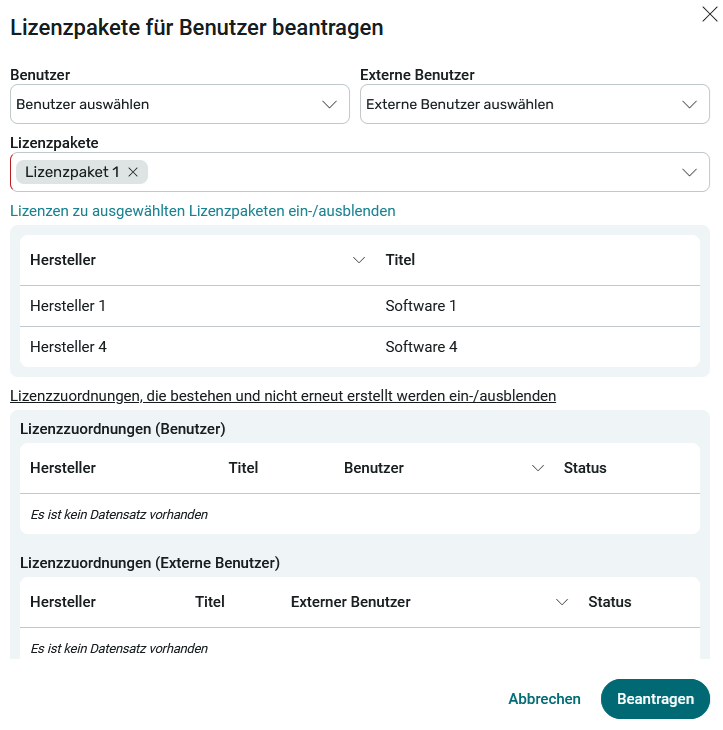
The requested license assignments are now displayed in the " My License Assignment Requests" section (User) .
Release License Assignments
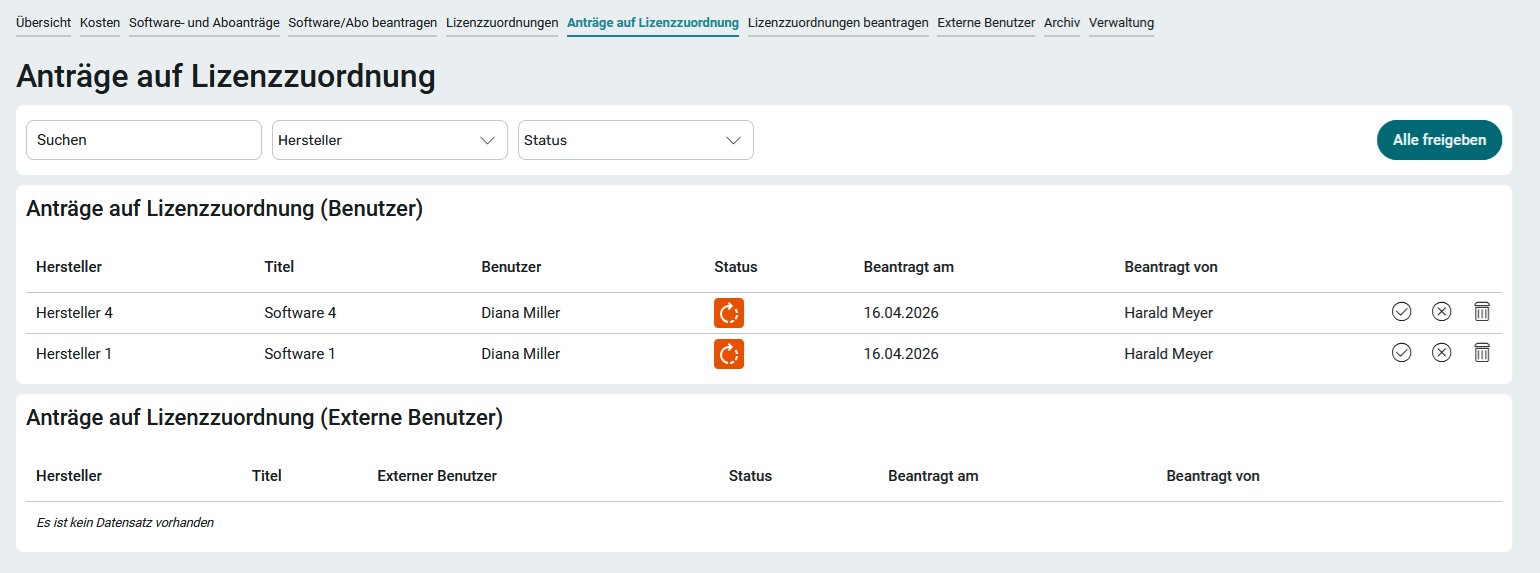
Requested license assignments are approved on the " Approve License Assignments " page. To access this page in the application menu, you must have at least the App_LicenseManager_Manager role.
Clicking "  " will approve the application.