

Below is an overview of the permissions you need to configure for the Intrexx Connector for SharePoint Server/Online.
-
Launch the application (app) under which you registered your Intrexx portal on Microsoft Azure.
-
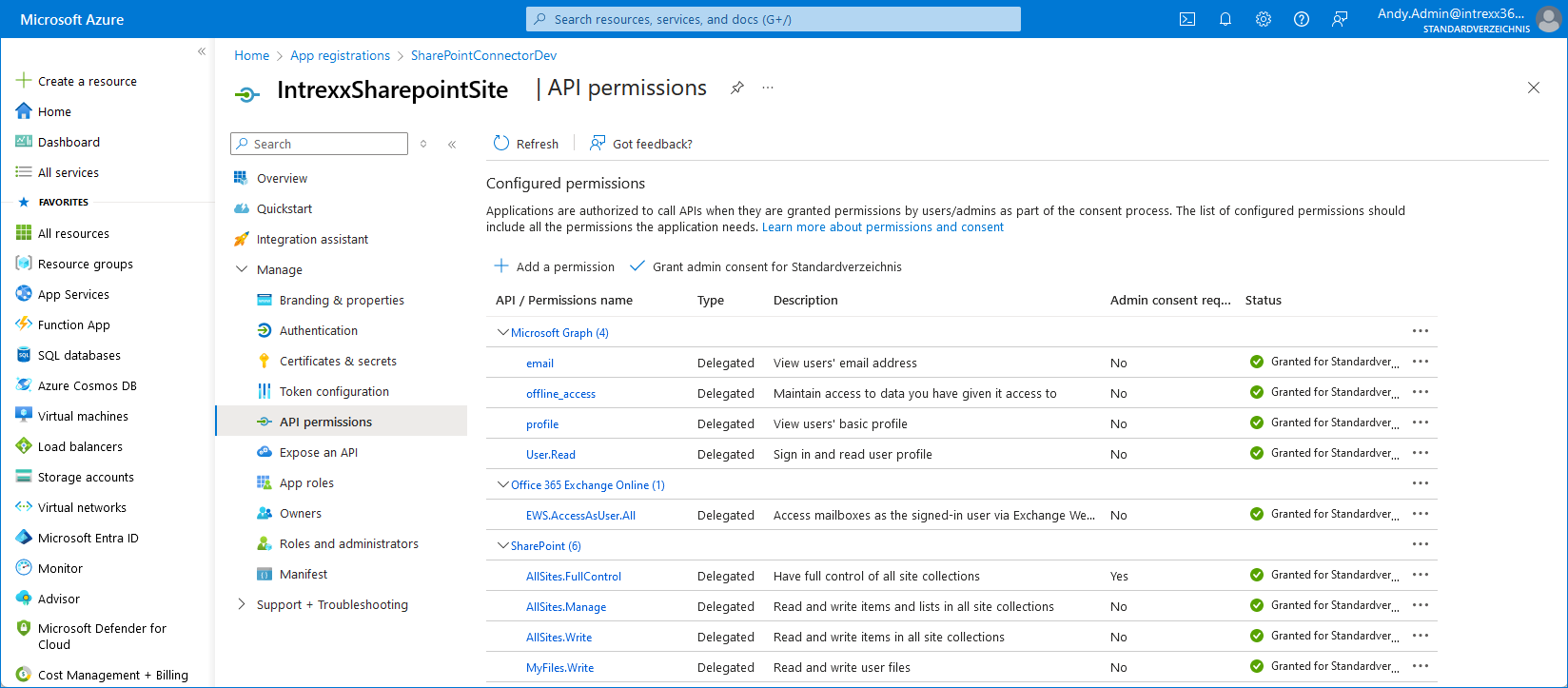
Open the "API Permissions" page.
-
Grant the following API permissions for using the Intrexx Connector for SharePoint Server/Online:
API/Authorization Name
Type
Description
Administrator Consent
SharePoint (6) AllSites.Write Delegated Read and write access to items in all site collections No MyFiles.Write Delegated Reading and Writing User Files No Sites.Search.All Delegated Run Search Queries as a User No
Configuring API Permissions in the Intrexx Connector for SharePoint Server/Online
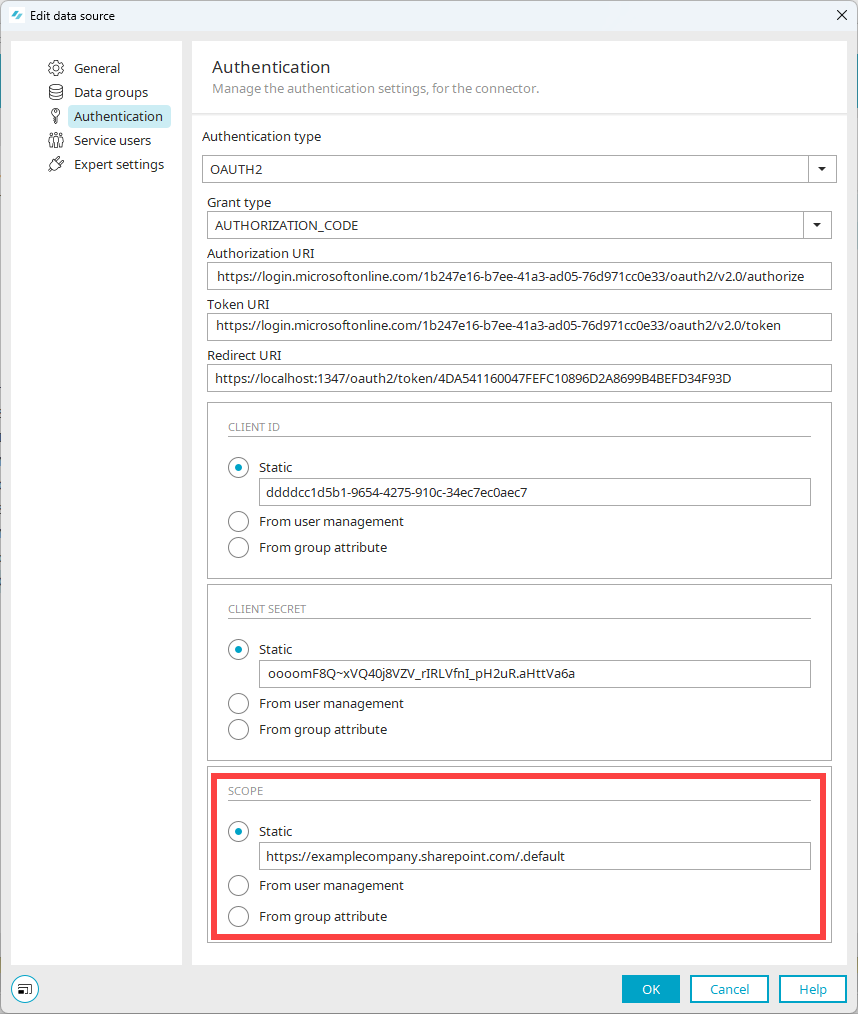
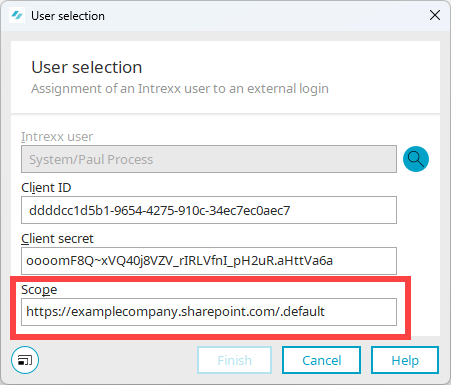
You must configure the permissions granted here in the Intrexx Connector for SharePoint Server/Online under "Scope."
You can enter the individual permissions separated by spaces.
You can also specify https:[TenantName].sharepoint.com/.default if you want all granted permissions to apply.
Information about the scope under "Authentication":
Information on the scope for "Service Users":
Your Next Steps
Creating an Intrexx " Connector for SharePoint Server/Online "