Register the Intrexx Portal as an app in DRACOON
To access DRACOON from your Intrexx portal, you must first register it as an app in the DRACOON Web App.
When you register your Intrexx portal with DRACOON, a client ID and a client secret are generated.
You will need this information later to set up a data source in Intrexx DRACOON Connector.
DRACOON Support Portal
General information on registering apps in DRACOON can be found on the DRACOON Support Portal at the following link:
Step-by-Step
To register an Intrexx portal as an app in the DRACOON Web App, follow these steps:
-
Launch the DRACOON Web App.
-
Log in using your credentials.
You will be taken to the DRACOON Web App home page.
-
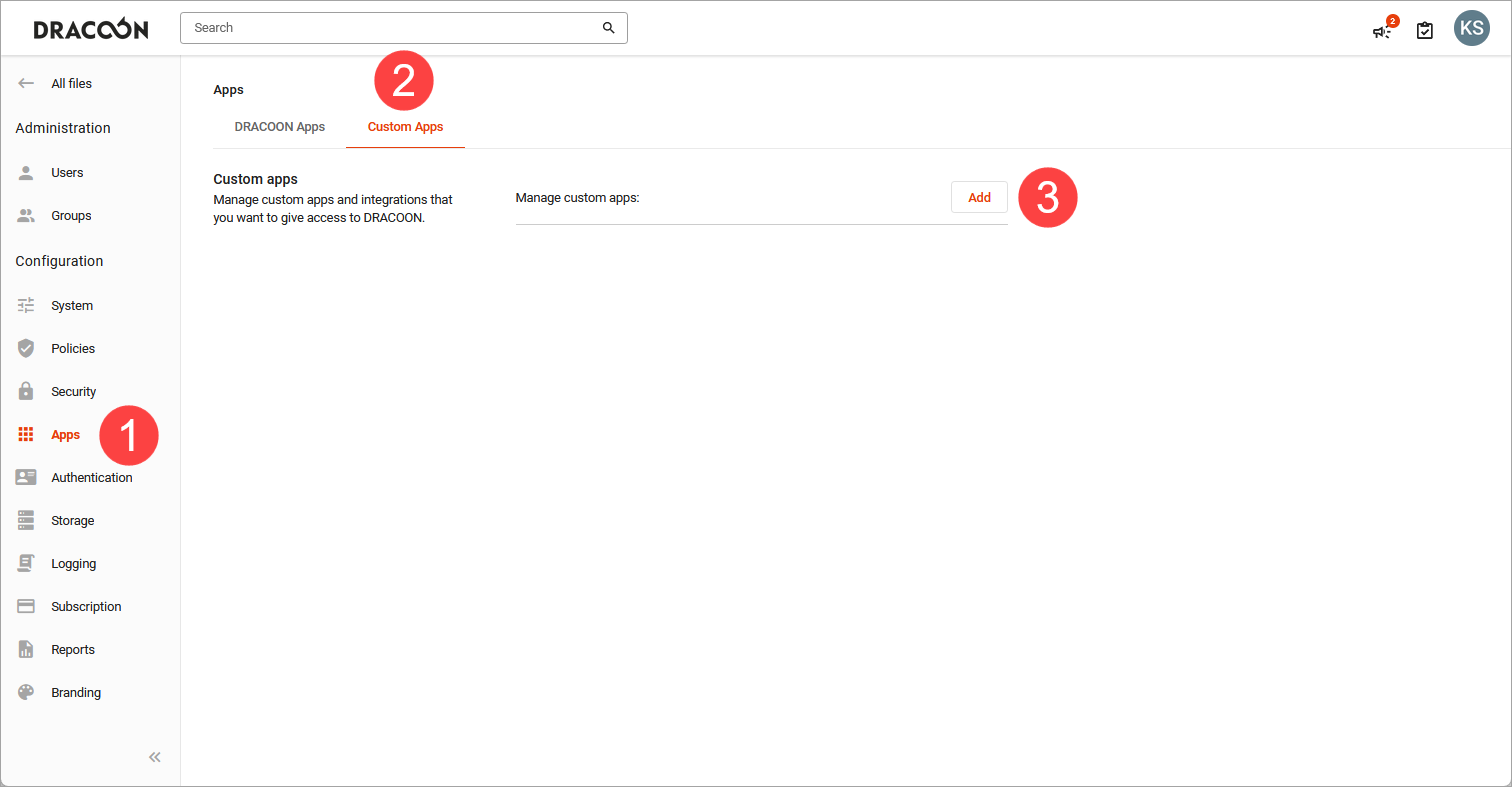
Select "Configuration > Apps" (
 ).
).
-
Click "My Apps" (
 ).
). -
Click "Add" (
 ).
).The "Configure App" dialog box appears.
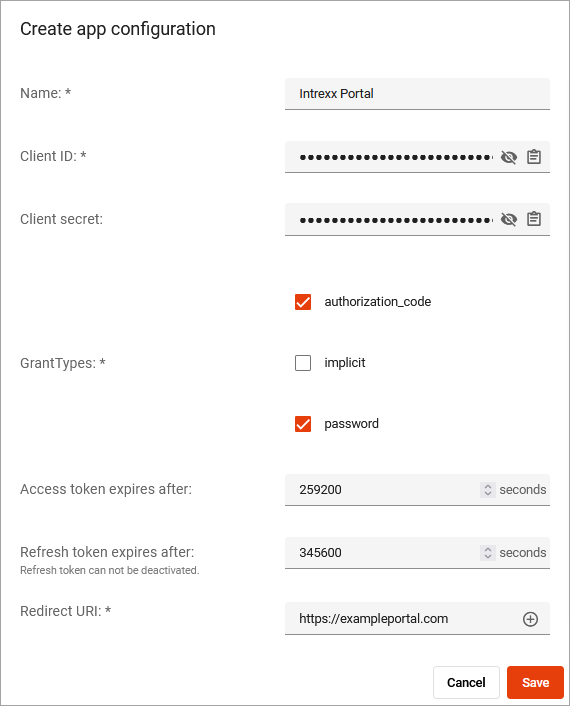
Name
Enter the name here that will be used to register and display your portal in the DRACOON Web App. You can choose any name you like.
Client ID
Copy the client ID. You will need these later to set up the data source in the Intrexx Connector for DRACOON (Create a Connector for DRACOON).
Client Secret
Copy the client secret. You will need this later to set up the data source in the Intrexx Connector for DRACOON (Create a Connector for DRACOON).
Grant Types
authorization code Check this box if you want to access DRACOON from the Intrexx Portal as an individual user.
With this option, the following message will initially appear when you access DRACOON from your Intrexx portal.
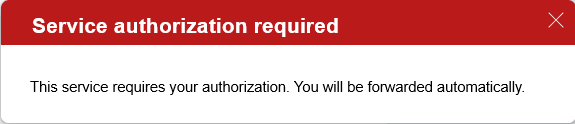
The DRACOON login dialog will then appear.

password Check this box if you want to access DRACOON from the Intrexx portal using a service user.
For detailed information on this topic, see the section " Set Up a Service User."
Access token expires after
By default, an access token is valid for 8 hours. If you want a different value, enter it in seconds—otherwise, leave the field blank to use the default value of 8 hours.
Refresh token expires after
The refresh token allows an app to automatically request a new access token when the old one expires (without requiring the user to re-authenticate). The standard validity period for a refresh token is 30 days until it expires. If you want a different value, enter it in seconds in the Refresh Token field—otherwise, leave the field blank to use the default value of 30 days.
Redirect URI
Enter the redirect URI here.
For detailed information on this topic, see the section " Configure the Redirect URI in DRACOON."
-
Click "Save."
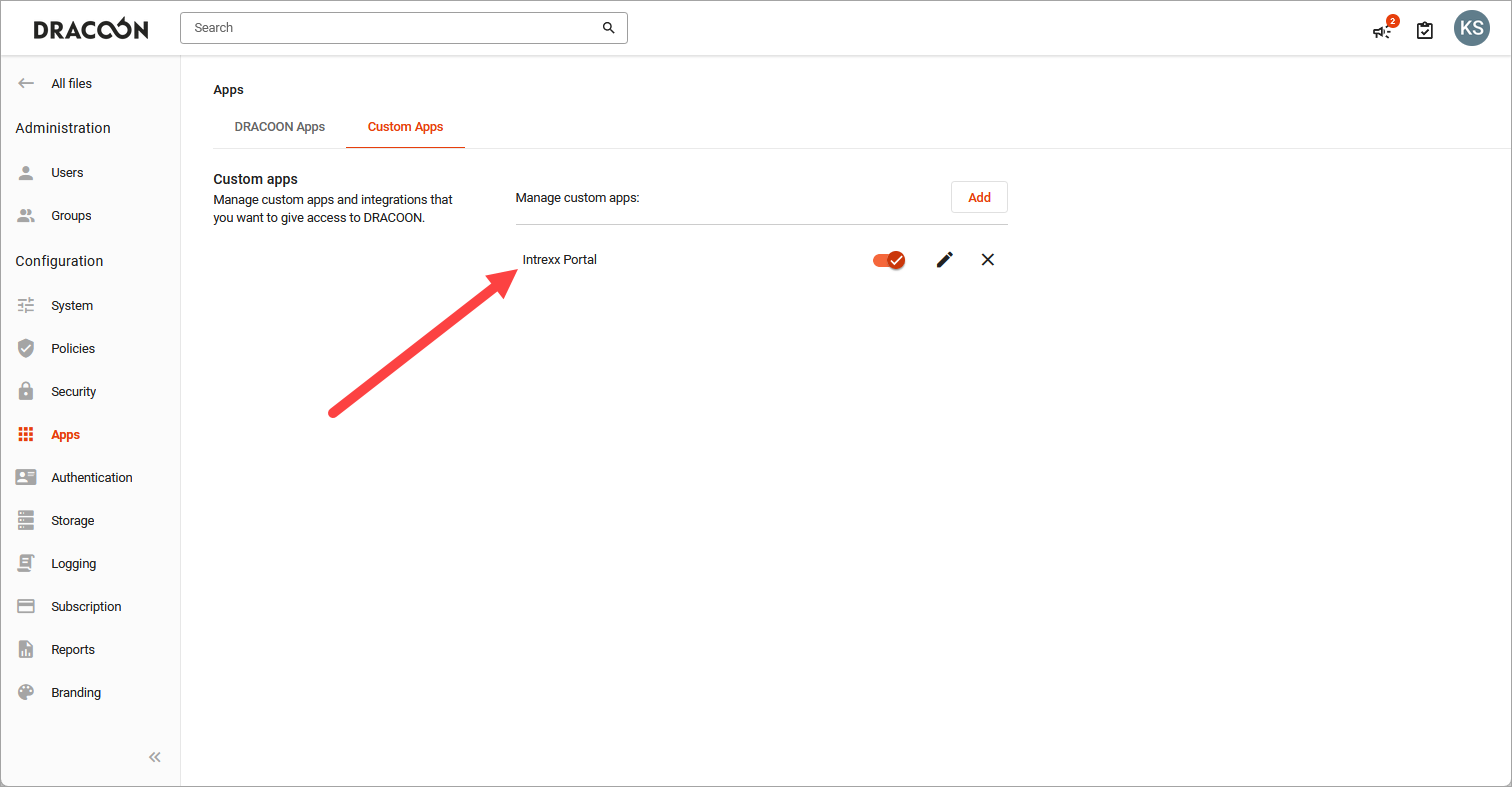
The Intrexx portal is displayed as an app.