

Delete Portal
Delete a portal using the Portal Manager
Please note that you can only delete a portal using the Integrated Portal Manager.
Step-by-Step
To delete a portal, follow these steps:
-
Click "File > Delete Portals."
If you are logged in to a portal, you will be asked to confirm that you want to log out.
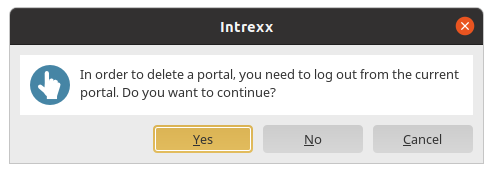
Click "Yes."
-
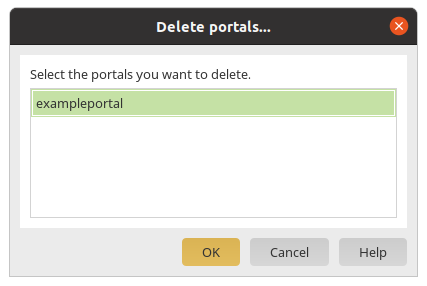
The "Delete Portals..." dialog box is displayed.
-
Select the portal(s) you want to delete.
-
Click "OK."
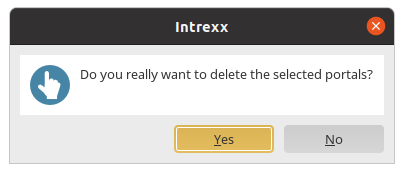
A confirmation dialog box appears.
-
Click "Yes."
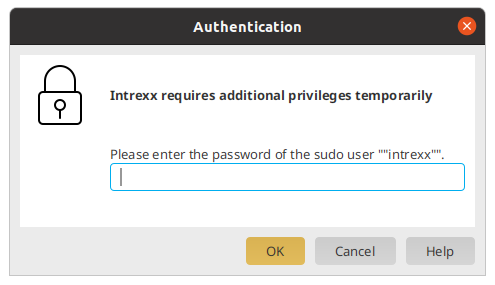
The dialog box for authenticating the Intrexx user appears.
(See the " Intrexx User Installation" section for more information.)
-
Enter the password.
-
Click "OK."
-
Confirm the deletion.
A notification message appears. It notes that deleting a portal does not remove the portal database. You must delete the database yourself.
The portal directory (<intrexx-installation-directory>/org/portalverzeichnis) will not be deleted, but rather renamed.
Delete the portal via the terminal
You can also delete a portal using the terminal. The shell script ` deleteportal.sh ` is available for this purpose. You can find this at the following location:
<intrexx-installation-directory>\bin\linux\deleteportal.sh
The script requires the portal GUID to be specified as a parameter. You can find these in the ` portals.yaml` file. You can find them here:
<intrexx-installation-directory>/cfg/portals.yaml.
In Intrexx versions older than Intrexx 10.2, you can find the portal GUID in the service.cfg file. You can find them here:
<intrexx-installation-directory>/cfg/service.cfg.