Set API Permissions
Example - Azure AD
-
Launch the application (app) under which you registered your Intrexx portal on Microsoft Azure.
-
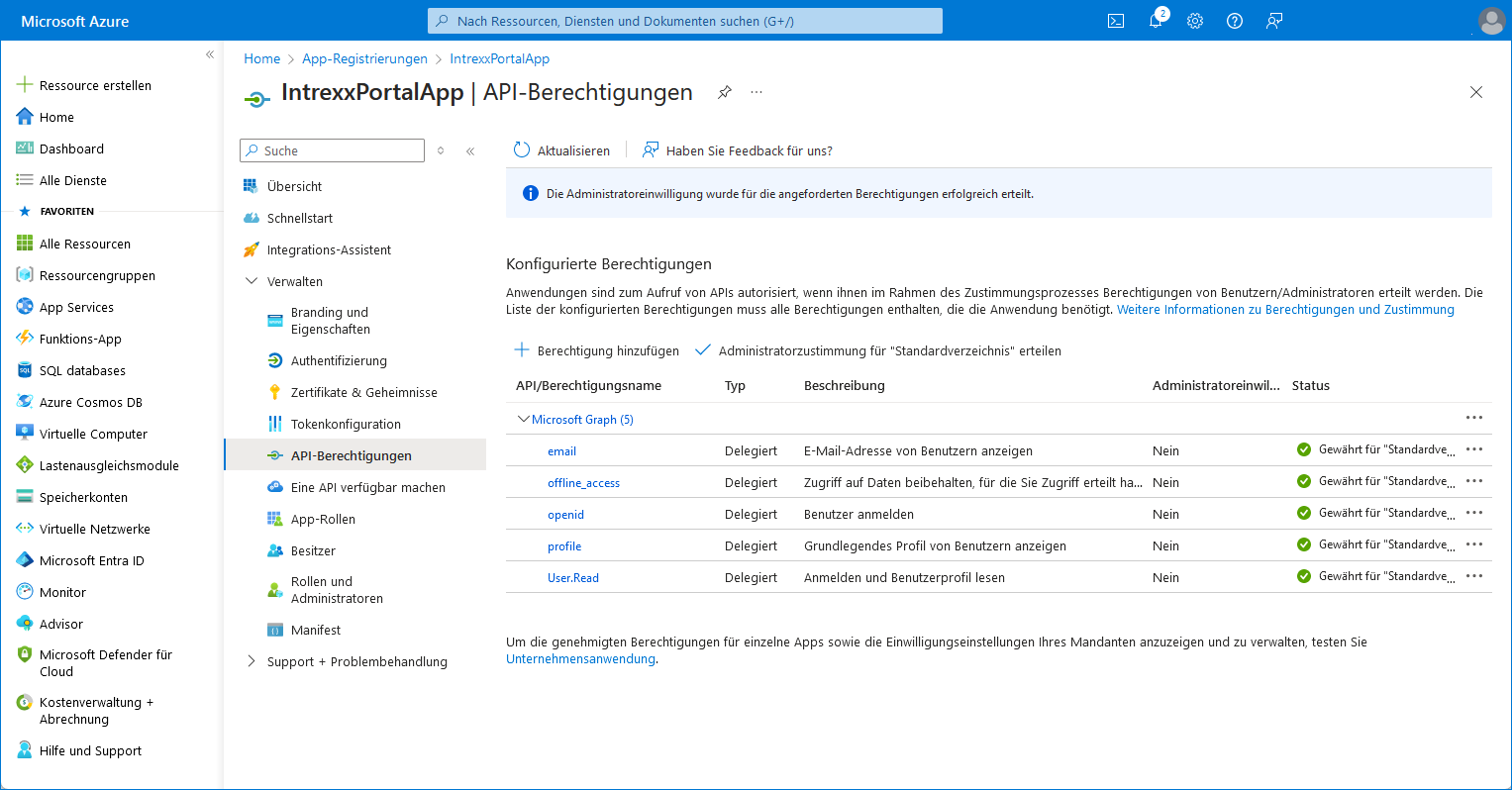
Open the "API Permissions" page.
-
Grant the following API permissions:
API/Authorization Name
Type
Description
Administrator Consent
Microsoft Graph(5) email Delegated View users' email addresses No offline_access Delegated Retain access to data for which you have granted access No openid Delegated Log in No profiles Delegated View Basic User Profiles No User.Read Delegated Sign in and view your user profile No -
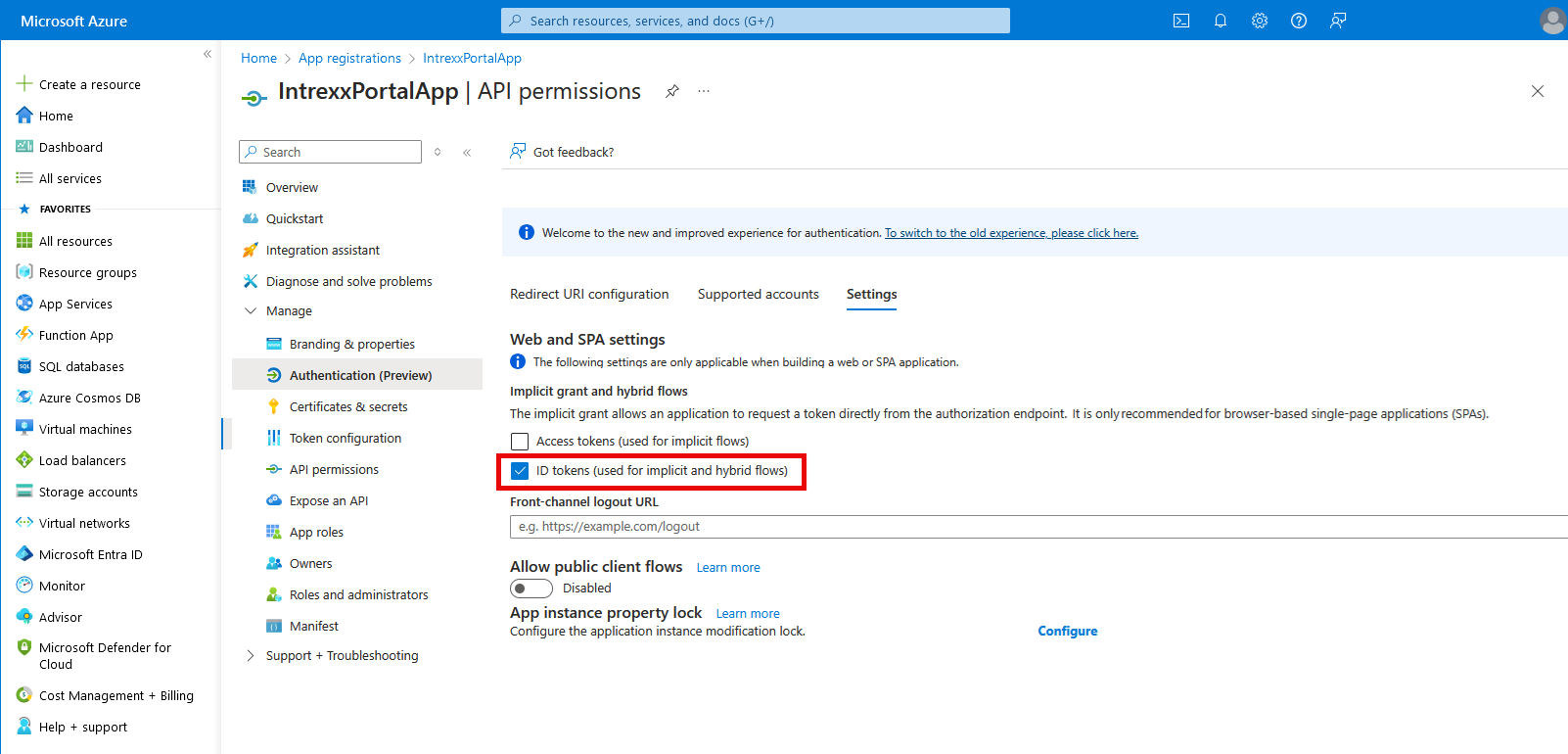
Enable the "ID Token" setting to allow authentication from Intrexx to Azure. To do this, click "To switch to the old experience…" if necessary.