

Rights Related to WebSockets
You can assign permissions to topics. This allows you to ensure that messages are displayed only to users for whom they are intended or relevant.
You can also use permissions to control which users are allowed to post messages to a topic.
Step-by-Step
To set user permissions for a topic, follow these steps:
-
Open the properties of the application in which you created the topic.
-
Go to the "Permissions" tab.
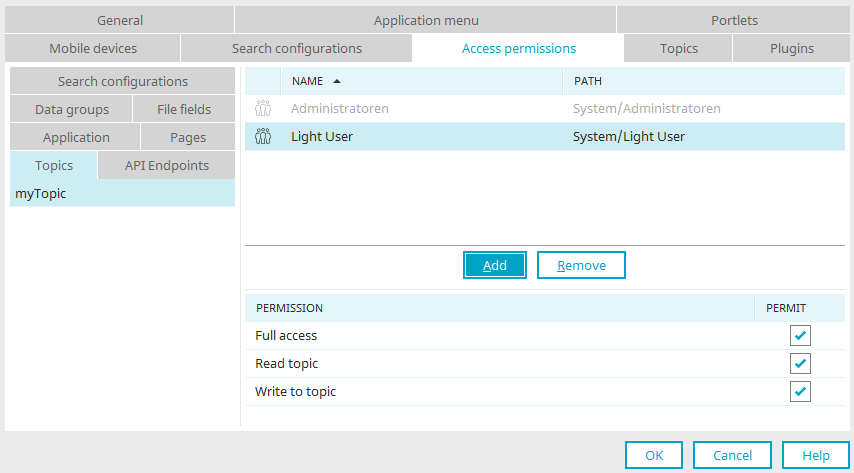
Law
Description
Full Access
If you select this option, the user in question will have the "Read Topic" and "Post in Topic" permissions.
Read this topic
This setting allows you to control which users see WebSocket messages in their browsers.
Post in this thread
This right applies to the user of a process that contains a WebSocket action or a Groovy action with WebSocket functionality.
You can have processes run in a user context. In that case, the rights of the relevant user are relevant. If the user does not have the "Post to Topic" permission, the process will not send a WebSocket message to the topic, nor will it be displayed in the browser. -
Use the "Add" and "Remove" buttons to specify the users who should have the appropriate permissions.
You have set user permissions for a topic.