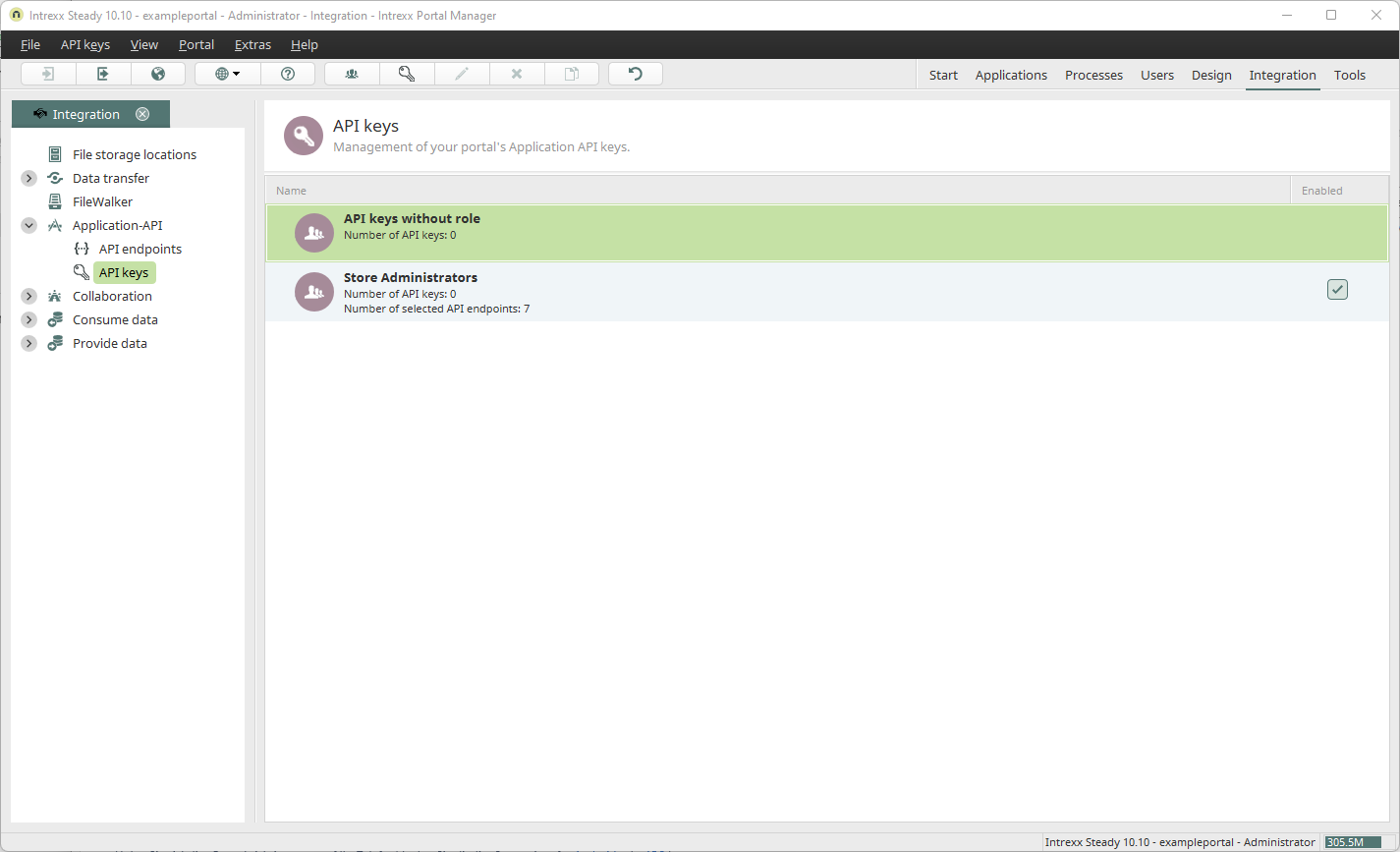
API keys are valid only for specific endpoints.
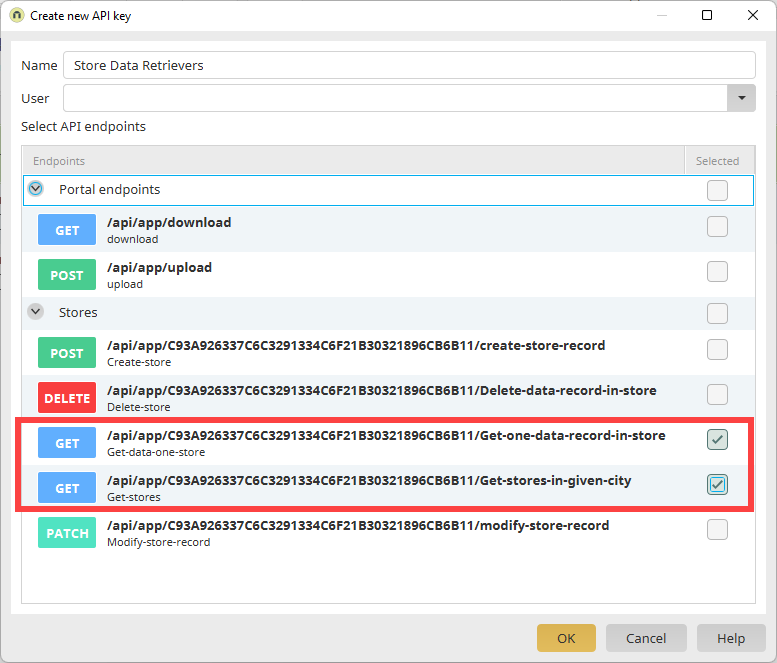
When you create a new endpoint, the endpoints available in the portal are displayed. You can then select the endpoint(s) for which the API key should be valid.
Example
The "Store Data Retrievers" endpoint shown in the screenshot applies to the two "GET" endpoints within "Stores."
You may need multiple API keys that are valid for the same endpoints. This may be the case, for example, if you want to create API keys for multiple users.
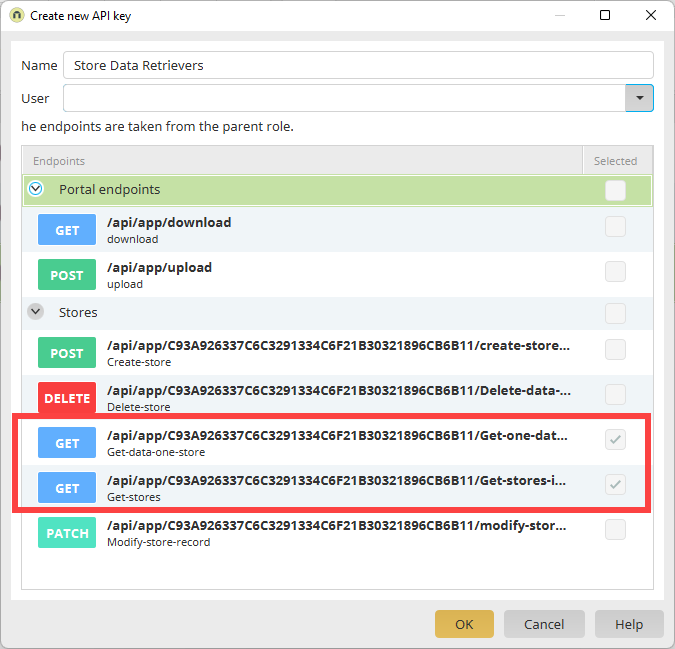
You can create roles for this purpose. You can use roles to define a set of API endpoints. These settings are automatically applied when you create an API key for the role you created earlier.
Example
The two "GET" endpoints within "Stores" are preselected. No additional endpoints can be selected.
The roles you create in connection with API keys are unrelated to the roles in Intrexx user management.
Step-by-Step
To create a new role for API keys, follow these steps:
-
Launch the "Integration" module.
-
Click "Application API" > "API Keys."
-
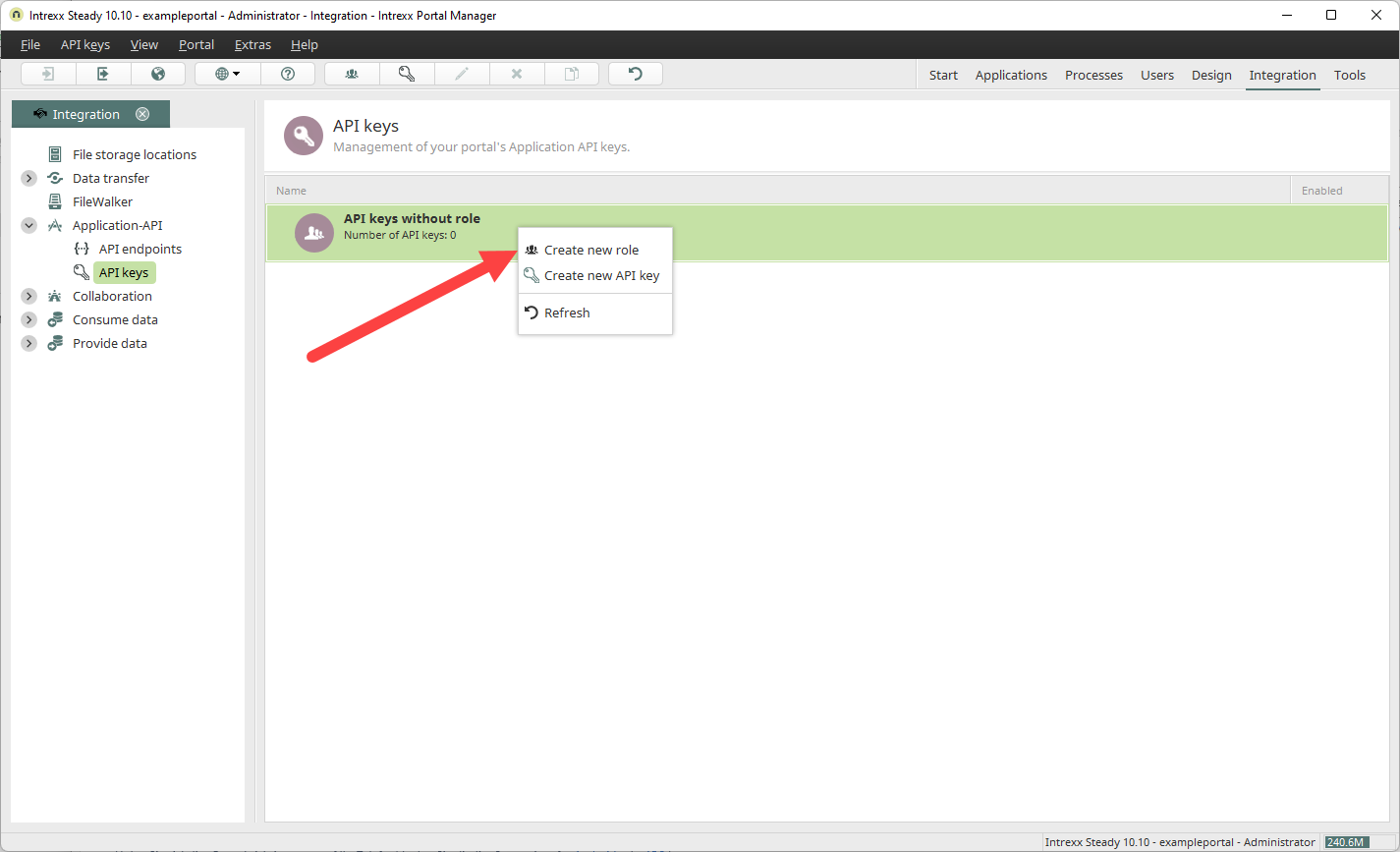
Right-click on an existing API key (or an existing API role).
-
Click "Create New Role."
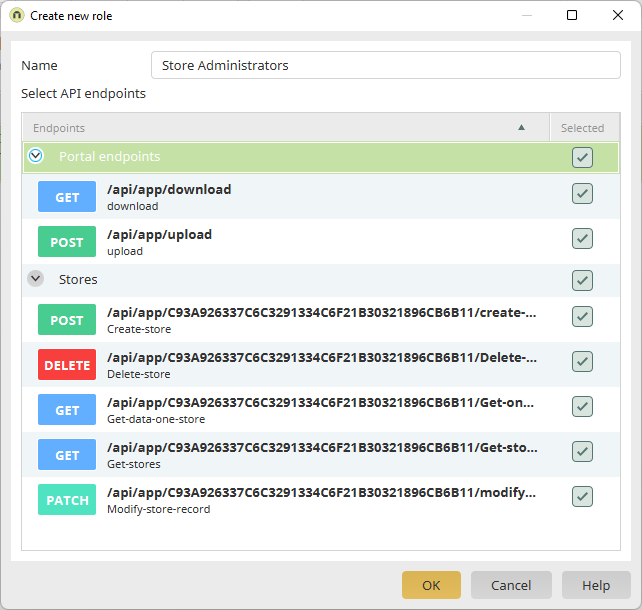
The "Create New Role" dialog box appears.
-
Enter a name (preferably one that is descriptive).
-
Enable the endpoints that you want to be active for the role.
-
Click "OK."
You will be redirected back to the "API Keys" page.
The newly created role is displayed.